Esempio b1
Questo esempio riproduce l’esempio base B1 di Geant4. Utilizza la digitizzazione dosimeter per memorizzare la dose accumulata in un rivelatore.
Puoi eseguire questo esempio nel browser: 
Avvio rapido
Copia l’esempio nella directory corrente. Per creare la geometria, simulare 10 eventi e produrre file di output ROOT e CSV:
cp -r $GEMC_HOME/examples/basic/b1 .
cd b1
./b1.py
gemc b1.yaml -n=10
Geometria
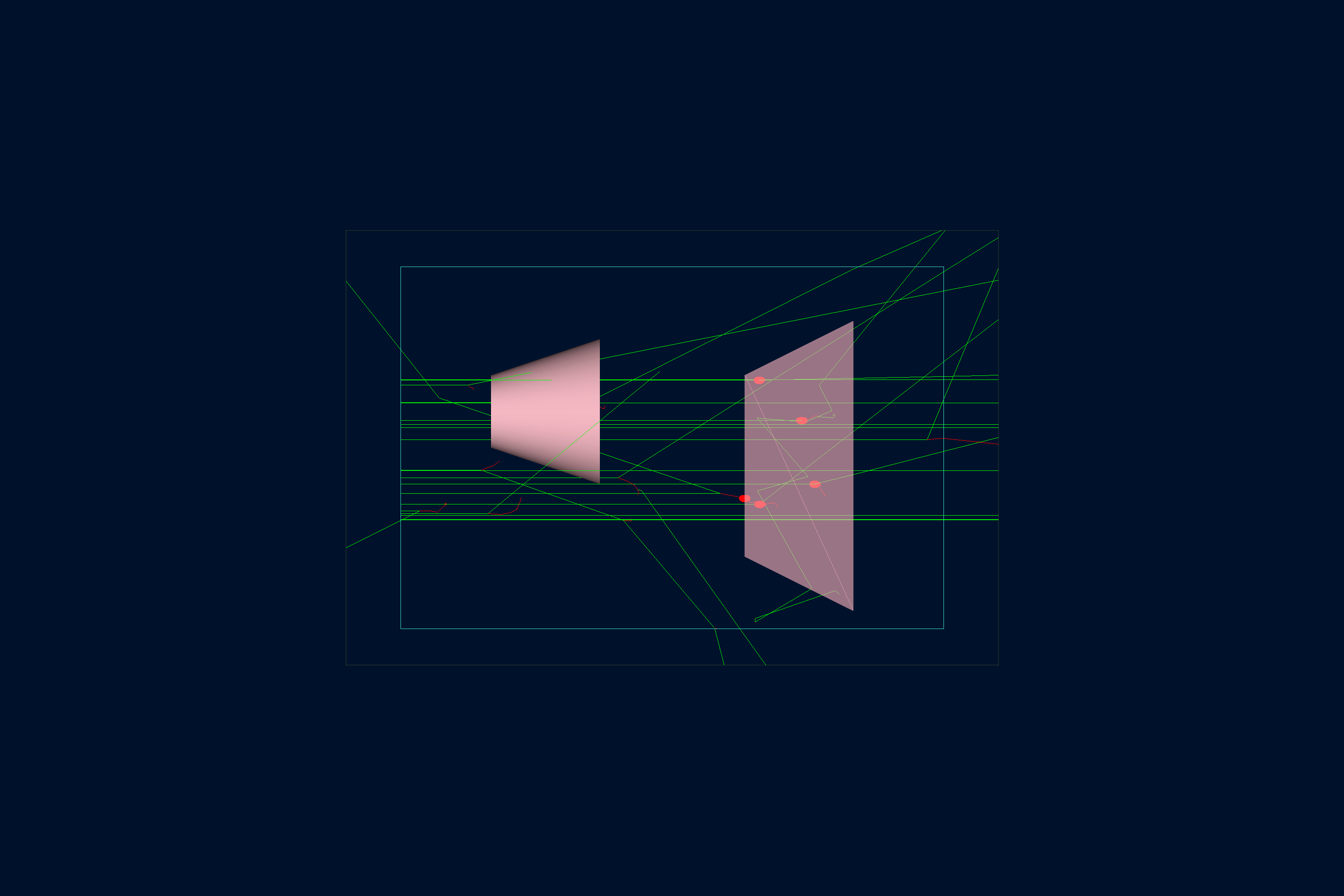
La geometria, mostrata di seguito, è definita in b1.py.
Il volume mondo (un parallelepipedo chiamato root) contiene:
- Envelope, un altro parallelepipedo costituito da acqua.
-
Shape1 e Shape2, un policono e un trapezoide, posizionati all’interno di Envelope. Sono costituiti da materiali che simulano tessuti e ossa, comuni nelle applicazioni mediche e quindi predefiniti nel database dei materiali di Geant4:
- G4_A-150_TISSUE
- G4_BONE_COMPACT_ICRU
Visualizzatore interattivo:
Lista di fisica
QBBC è utilizzata per impostazione predefinita ed è selezionata nel file YAML con phys_list: QBBC.
phys_list
The physics list can be selected using the option
gemc -phys_list <value>where
<value>can be a combination of the Geant4 physics constructors separated by the+sign. For examplegemc -phys_list="FTFP_BERT + G4NeutronCrossSectionXS"To see a list of the available Geant4 constructors:
gemc -showPhysics
Generatore
La cinematica delle particelle è definita nel file YAML:
gparticle:
  - name: gamma
    p: 6*MeV
    vz: -15*cm
    delta_vx: 4*cm
    delta_vy: 4*cm
    multiplicity: 1
gparticle
The
gparticleoption controls the Geant4 particle gun. For the complete list of parameters:gemc help gparticle.Common parameters:
name: particle name (mandatory), e.g.protonore-multiplicity: number of copies generated per event; copies are independently randomized when spread parameters such asdelta_pordelta_thetaare setp: particle momentum with unit, e.g.4*GeVor4000*MeVdelta_p: momentum spread, centered onptheta: polar angle with unit, e.g.23*degor0.4*raddelta_theta: polar-angle spread, centered onthetaphi: azimuthal angle with unit, e.g.90*degKinematic values accept an explicit Geant4 unit (
value*unit). A plain number without a unit falls back to MeV for momentum, deg for angles, and cm for vertex coordinates, with a logged warning.For example, to define a particle gun with one electron along z plus one proton at θ = 30° and φ = 90°:
Command line:
-gparticle="[{name: e-, p: 5*GeV}, {name: proton, p: 2000*MeV, theta: 30*deg, phi: 90*deg}]"YAML:
gparticle:
  - name: e-
    p: 5*GeV
    multiplicity: 5
  - name: proton
    p: 2000*MeV
    theta: 30*deg
    phi: 90*deg
Per ulteriori informazioni, consulta anche la documentazione del generatore interno.
Digitizzazione
La sensibilità del volume Shape2 è specificata tramite la digitizzazione dosimeter
(una delle routine predefinite disponibili in GEMC) in b1.py:
gvolume.digitization = 'dosimeter'
gvolume.set_identifier('mydosimeter', 1)
La digitizzazione dosimeter crea e accumula le variabili etot e dose nel corso degli eventi di un run.
\[\mathrm{dose} = \frac{\mathrm{etot}}{\mathrm{mass}}\]dove etot è l’energia totale depositata in ciascun evento e mass è la massa di Shape2.
Qui, la stringa personalizzata mydosimeter e il numero 1 identificano l’elemento sensibile.
Le variabili mydosimeter, etot e dose vengono salvate nell’output.
Per ulteriori informazioni, consulta la documentazione del dosimetro.
Utilizzo
Costruzione del rivelatore
Usa lo script Python b1.py per costruire il rivelatore. Per impostazione predefinita, la configurazione
viene memorizzata in un file SQLite chiamato gemc.db. Le opzioni da riga di comando permettono di definire
il tipo di database, le varianti e il numero di run.
python API
Pass
-hfor additional command line options:options: -h, --help show this help message and exit -f, --factory FACTORY ascii, sqlite -v, --variation VARIATION Set variation name -r, --run RUN Set run number -sql, --dbhost DBHOST SQLite filename or MYSQL host -pv, --pyvista Show geometry using pyvista (needs pyvista) -pvb, --pvb, --pyvista-background Use PyVista BackgroundPlotter (needs pyqt6 pyvistaqt) -pvw, --width WIDTH Set plotter width -pvh, --height HEIGHT Set plotter height -pvx, --x X Set plotter x position -pvy, --y Y Set plotter y position -axes, --add_axes_at_zeroIf you have
pyvista(see also install pyvista), you can use the-pvand-pvboptions to display the setup without having to run GEMC
Per ulteriori informazioni, consulta anche Costruzione della geometria.
Esecuzione di GEMC
Il file b1.yaml può essere utilizzato per eseguire la simulazione con questa configurazione.
Aggiungi -gui per eseguire GEMC in modo interattivo:
gemc b1.yaml -gui
Le annotazioni e le decorazioni della scena sono definite in annotations.yaml, così lo stesso esempio
può essere visualizzato con o senza etichette:
gemc b1.yaml
gemc b1.yaml annotations.yaml
Modifica b1.yaml o la riga di comando secondo necessità, in particolare per aggiungere particelle,
controllare il numero di thread o cambiare l’output.
Simulazione degli eventi
Output
L’opzione gstreamer seleziona il nome e il formato dell’output. Il file YAML scrive simultaneamente flussi CSV e ROOT:
gstreamer:
  - format: csv
    filename: b1
gstreamer
The
gstreameroption selects the output name and format. Rungemc help gstreamerto check its documentation:-gstreamer=<sequence> ......: define a gstreamer output • filename: name of output file. Default value: NODFLT • format: format of output file. Default value: NODFLT • type: type of output fileDefault value: event Define output formats and filenames. It can be used to select <events> or <frame> streams. The file extension is added automatically based on the format. Supported formats: - root - ascii - csv - json Output types: - event: write events - stream: write frame time snapshots Example that defines two gstreamer outputs: -gstreamer="[{format: root, filename: out}, {format: csv, filename: out}]" The produced files structure depends on the accumulation method used: - event-based digitization (like <flux>) will have one file per thread, with "_t<thread#>" appended to the filename - run-based digitization (like <dosimeter>) will have one output file
Per ulteriori informazioni, consulta anche la documentazione dell’output.
Creazione di grafici con GEMC Analyzer
Esegui prima GEMC con 20 eventi. Il file YAML predefinito scrive i flussi CSV per l’analizzatore.
gemc b1.yaml -n=20
Traccia il grafico della dose accumulata:
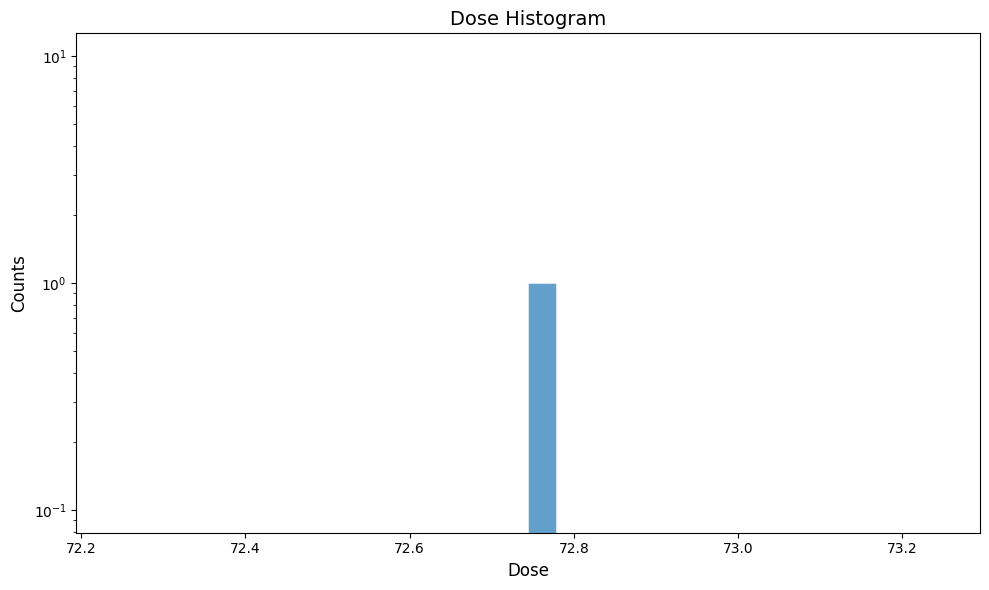
gemc-analyzer b1_digitized.csv dose --kind csv