Dipole Field Example
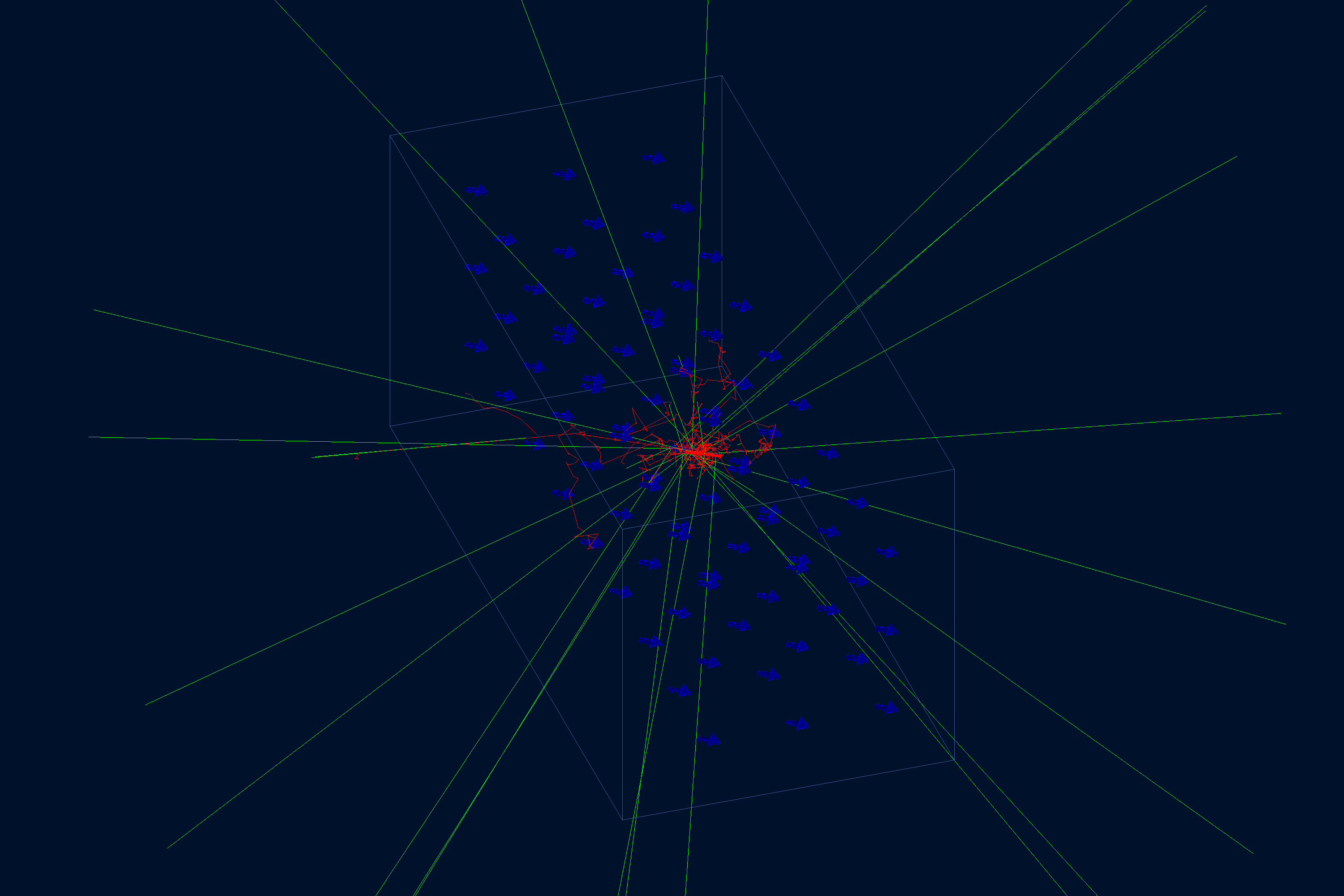
This field example displays an ideal transverse dipole field from gmultipoles. It is useful for
checking the field association on a single volume and the visual field-line startup options.
Quickstart
Copy the example to your current directory, build the geometry database, and open the field display:
cp -r $GEMC_HOME/examples/fields/dipole .
cd dipole
./dipole.py
gemc dipole.yaml -gui
Geometry
The geometry is defined in dipole.py. The world volume root contains one transparent box,
dipole_field_box, with its mfield property set to dipole.
Field Definition
The YAML file defines a 2 T dipole rolled by 30 degrees about the z axis:
gmultipoles:
  - name: dipole
    pole_number: 2
    strength: 2
    rotaxis: z
    rotation_angle: "30*deg"
The display options request 80 field lines and auxiliary geometry edges:
show_field_lines: 80
show_auxiliary_edges: true
Field Display
Usage
The file dipole.yaml sets n: 0, so no /run/beamOn is needed for this display scene. Add
-fieldAt to inspect the configured field at a point:
gemc dipole.yaml -fieldAt="0*cm 0*cm 0*cm"