Solenoid ASCII Field Map Example
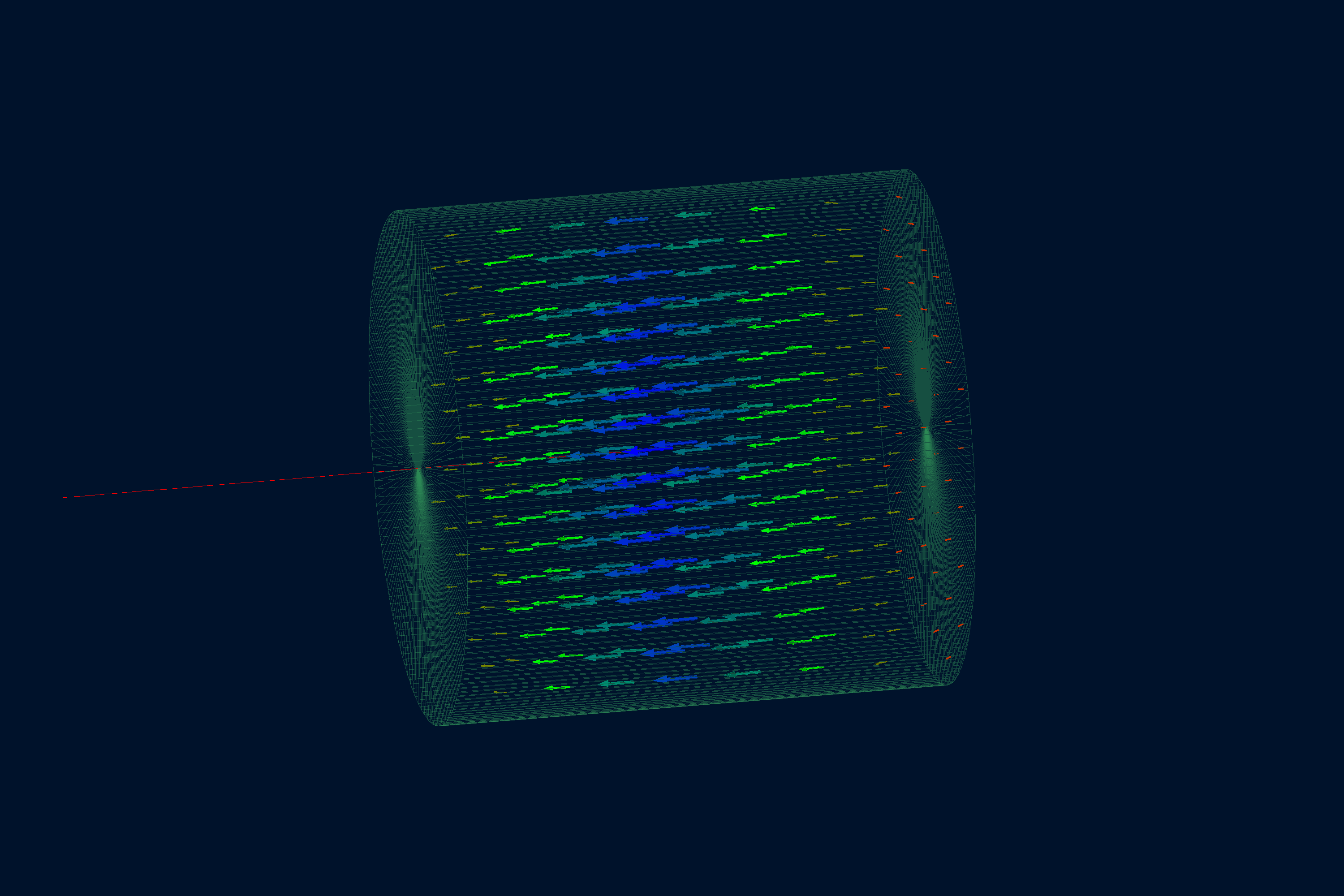
This field example displays a cylindrical ASCII field map loaded through the asciimap field plugin.
The map file is intentionally small, so the example is easy to inspect and modify.
Quickstart
Copy the example to your current directory, build the geometry database, and open the field display:
cp -r $GEMC_HOME/examples/fields/solenoid .
cd solenoid
./solenoid.py
gemc solenoid.yaml -gui
Geometry
The geometry is defined in solenoid.py. The world volume root contains one transparent tube,
solenoid_field_tube, with its mfield property set to solenoid.
Field Definition
The YAML file loads solenoid_map.txt as a cylindrical-z ASCII map:
gfields:
  - name: solenoid
    type: asciimap
    symmetry: cylindrical-z
    map: solenoid_map.txt
    field_unit: T
    interpolation: linear
    coordinate1: "transverse,   4, 0*m, 3*m"
    coordinate2: "longitudinal, 7, -3*m, 3*m"
The first two map columns are transverse and longitudinal. The next two columns are the transverse and longitudinal field components in tesla.
Field Display
Usage
The file solenoid.yaml sets n: 0, so no /run/beamOn is needed for this display scene. Add
-fieldAt to inspect the configured field at a point:
gemc solenoid.yaml -fieldAt="1*m 0*m 0*m"