示例 b2
本示例复现了 Geant4 基础示例 B2。它使用 flux 数字化方法, 将真值信息和数字化信息保存到输出中。
你可以在浏览器中运行本示例:
快速开始
将示例复制到当前目录。 要创建几何结构、运行 10 个事件并生成 ROOT 和 CSV 输出文件:
cp -r $GEMC_HOME/examples/basic/b2 .
cd b2
./b2.py
gemc b2.yaml -n=10
几何结构
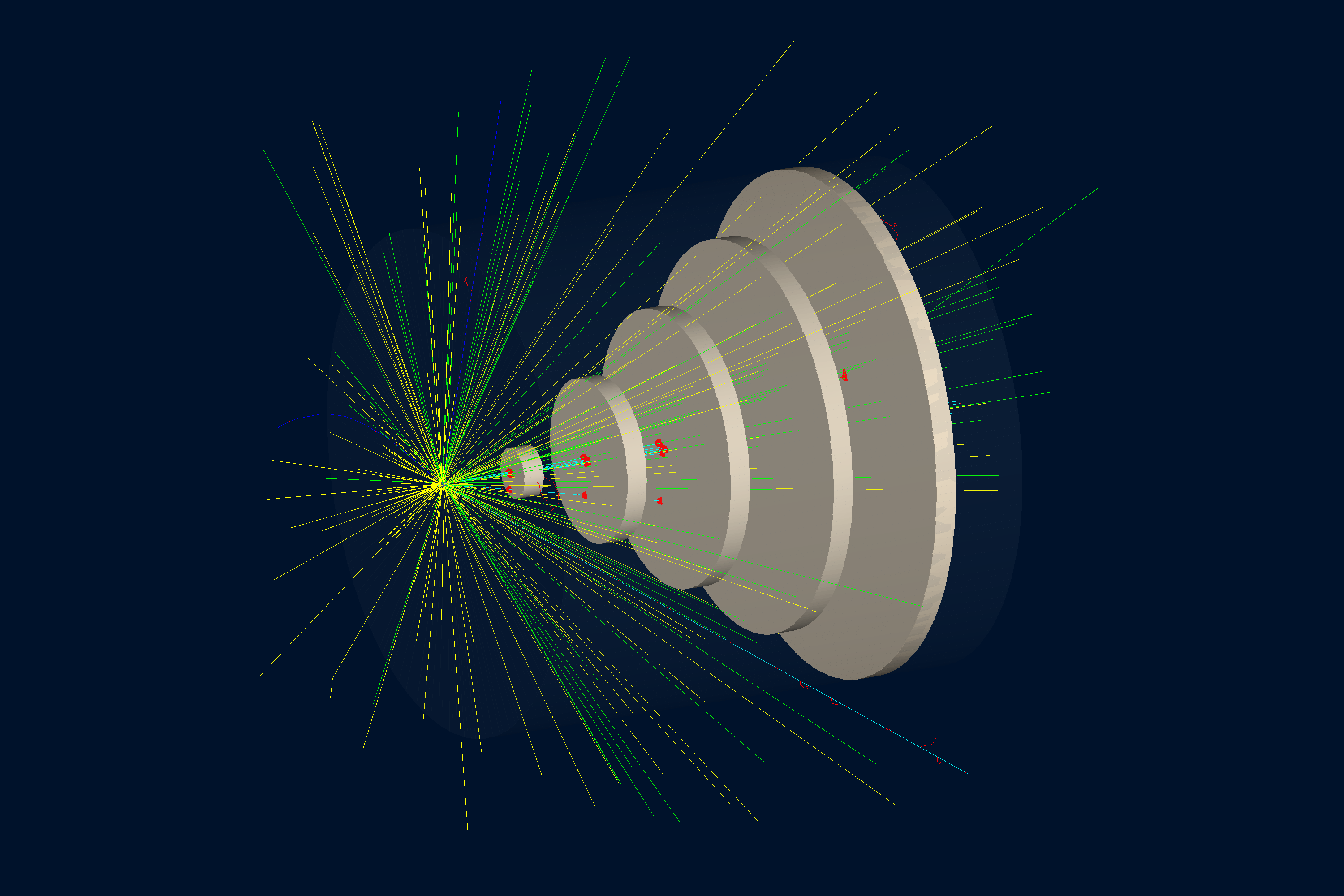
如下所示的几何结构定义在 b2.py 中。
世界体(一个名为 root 的长方体)包含:
- target,一个由铅(G4_Pb)制成的圆柱形靶
- tracker,一个由空气(G4_AIR)制成的圆柱形容器
- 五个名为 chamber_0 到 chamber_4 的圆柱形探测室几何体,由氙(G4_Xe)制成,放置在 tracker 内部,横向尺寸依次增大
交互式查看器:
物理过程列表
默认使用 FTFP_BERT,在 YAML 文件中通过 phys_list: FTFP_BERT 选择。
phys_list
The physics list can be selected using the option
gemc -phys_list <value>where
<value>can be a combination of the Geant4 physics constructors separated by the+sign. For examplegemc -phys_list="FTFP_BERT + G4NeutronCrossSectionXS"To see a list of the available Geant4 constructors:
gemc -showPhysics
粒子发生器
粒子的运动学参数在 YAML 文件中定义:
gparticle:
  - name: proton
    p: 3000*MeV
    vz: -250*cm
更多信息另请参阅内部发生器文档。
数字化
探测室几何体的敏感属性在 b2.py 中通过 flux 数字化方法(GEMC 内置例程之一)
指定。拷贝编号用于标识每个探测室:
gvolume.digitization = 'flux'
gvolume.set_identifier('mychamber', copyNo)
在本例中,identifier 仅包含一个名称:mychamber。
更多信息请参阅 Flux 文档。
除了数字化变量外,真值信息也会保存到输出流中。
True Information
The true information is processed by GEMC and, in some cases, averaged and weighted by the energy deposition. For variables like
pid,tid, orprocessName, the data come from the first step in the hit.The complete list of variables is:
- the sensitive element
identifier, assigned by the user. For example:
sectorlayerhitn: hit numberpid: particle IDtid: track IDavgTime: average timeavglx: average local x positionavgly: average local y positionavglz: average local z positionavgx: average global x positionavgy: average global y positionavgz: average global z positiontotalEDeposited: total energy depositedprocessName: process name creating the first step of this hit
用法
构建探测器
使用 Python 脚本 b2.py 构建探测器。默认情况下,探测器配置存储在一个名为
gemc.db 的 SQLite 文件中。命令行选项可以指定数据库类型、变体和运行编号。
更多信息另请参阅构建几何结构。
运行 GEMC
可以使用 b2.yaml 文件来运行该探测器配置。添加 -gui 可交互式运行:
gemc b2.yaml -gui
根据需要修改 b2.yaml,特别是添加粒子、控制线程数量或更改输出。
运行事件
输出
gstreamer 选项用于选择输出文件名和格式:
gstreamer:
  - format: csv
    filename: b2
由于 flux 是逐事件的数字化方法,GEMC 将为每个线程生成一个输出文件。
对于 ROOT 文件,你可以使用 hadd 合并这些文件。
更多信息另请参阅输出文档。
使用 GEMC 分析器绘图
首先运行 GEMC 模拟 1,000 个事件。默认的 YAML 文件会写出供分析器使用的 CSV 数据流。
gemc b2.yaml -n=1000
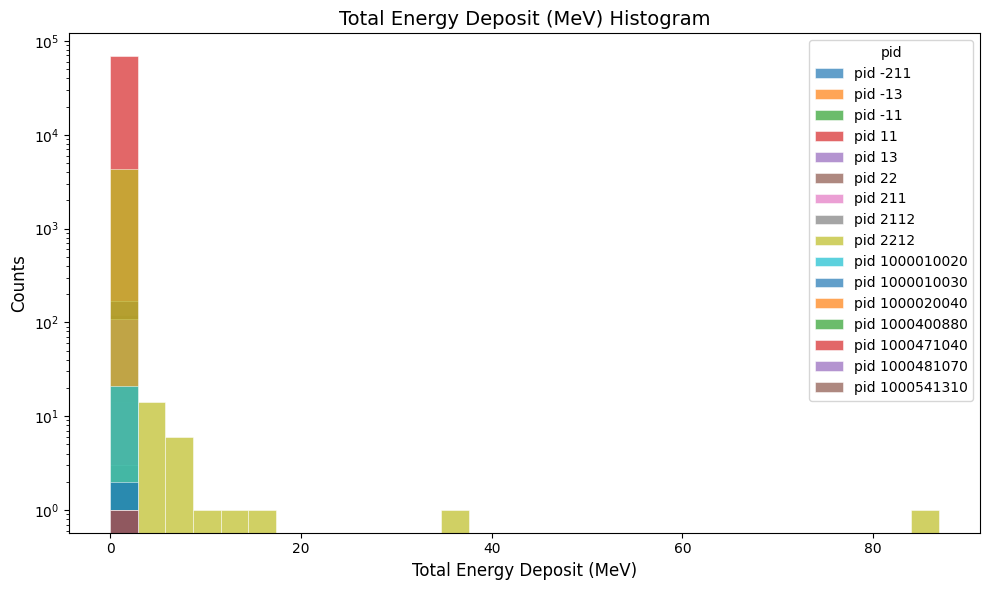
绘制每次命中的总沉积能量:
gemc-analyzer b2_t0_digitized.csv totEdep --kind csv
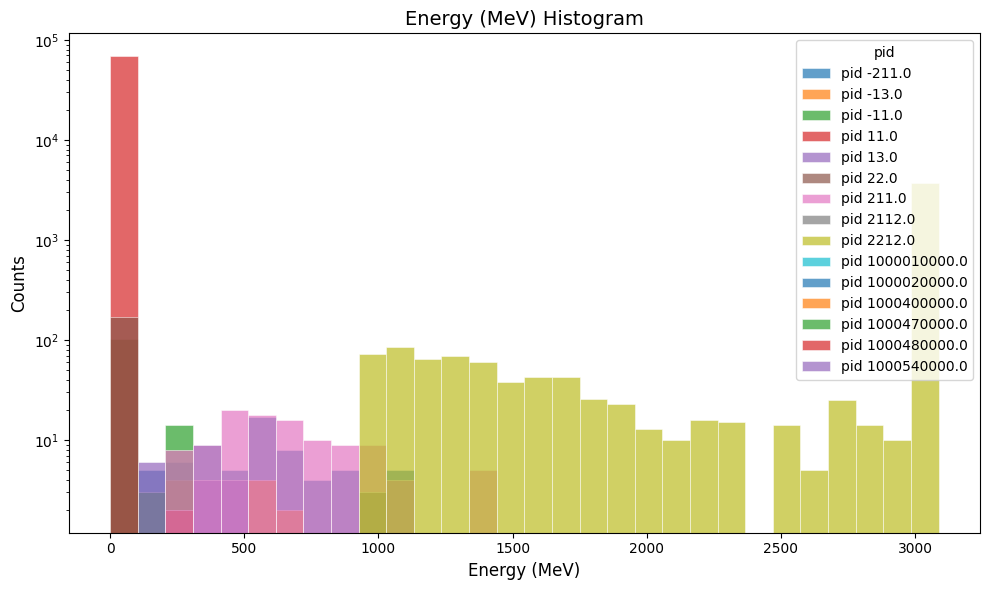
绘制粒子径迹的真值能量:
gemc-analyzer b2_t0_true_info.csv E --kind csv --data true_info
绘制质子极角残差:
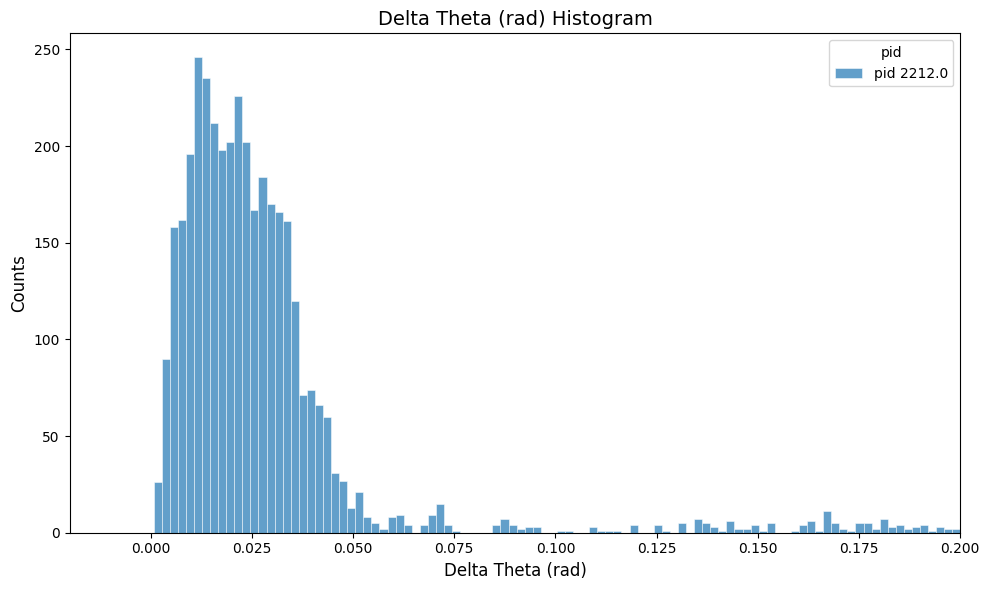
b2.yaml 中的 save_original_track: true 选项会在真值信息输出中保存 otid 以及原始动量分量 opx、
opy 和 opz。分析器使用原始动量方向和当前动量方向
来计算 delta_theta。
gemc-analyzer b2_t0_true_info.csv delta_theta --kind csv --data true_info --pid 2212 --bins 100 --xlim -0.02 \
  0.2 --linear-y