本站提供 GEMC 第 3 版及更高版本的文档。 如需进行 CLAS12 模拟,请使用 GEMC2 clas12Tags 仓库。
由数据库驱动、提供 Python API 的 Geant4 模拟
GEMC 是一个由数据库驱动的 Geant4 应用程序,用于探测器和 辐射输运模拟。其 Python API 让用户无需编写 Geant4 代码即可定义复杂的探测器装置。
探测器描述与可执行程序彼此独立:用户在 Python 中创建探测器描述,将其存储在 ASCII 或 SQLite 数据库中,GEMC 在运行时加载这些描述以执行 Geant4 模拟。
主要特性
- 以 Python 为主要方式定义探测器
- 借助
pyvista进行几何预览与 VTK 导出 - ASCII、SQLite 数据库
- 从 GDML 和 CAD 文件导入几何
- 交互式 Geant4/Qt 可视化与离屏图像生成
- 内置灵敏探测器:flux、dosimeter、particle_counter 和 gPhotonDetector
- 以 ASCII、CSV、JSON 和 ROOT 格式输出模拟结果
- 通过 GUI、命令行、YAML 和 LUND 文件生成事件
- 磁场支持,包括多极磁场和 ASCII 磁场图
- 用于读取和绘制模拟输出(CSV、ROOT)的 Python
analyzer模块 - 几何变体以及随运行编号变化的配置
其目标是帮助用户无需编写自定义 Geant4 应用程序即可构建探测器系统原型, 同时通过 C++ 插件支持自定义探测器响应、磁场、事件生成器和输出格式。
试用 GEMC
无需安装。点击徽章即可在浏览器中启动一个在线交互式 JupyterLab 会话:

|
创建一个带有简单探测器和靶的系统 |

|
重现 Geant4 basic B2 示例 |

|
使用 CAD 工厂导入 STL 器官网格并记录每个器官的剂量 |
|
|
11 个经过验证的顶点与角度案例,并带有 Analyzer 图 |

|
从可复用的组件体构建相减、相并和相交实体 |

|
演示 Geant4 内置材料、自定义成分及光学特性 |

|
使用 distribute_on_circle 将 48 块梯形闪烁体板拼成一个圆柱形桶 |

|
展示在 GEMC 探测器中激活切连科夫辐射 |

|
展示在相同条件下的抛光、粗糙和半透明光学镜面 |

|
用薄 G4Paraboloid 镜壳聚焦光学光子 |
容器镜像
若要在本地或高性能计算(HPC)环境中运行 JupyterLab 会话,请使用预构建的多架构镜像:
# Docker
docker run --rm -p 8888:8888 ghcr.io/gemc/binder-tutorials:latest

# Apptainer
apptainer pull gemc-binder-tutorials.sif docker://ghcr.io/gemc/binder-tutorials:latest
apptainer exec gemc-binder-tutorials.sif jupyter lab --ip=0.0.0.0 --no-browser
交互式 3D 展示
使用鼠标滚轮旋转相机,或在各缩略图内使用方向键。点击标题链接查看 文档。
pygemc:Python API
GEMC 的 Python API pygemc 提供几何与材料数据库构建器、pyvista 几何可视化、
gemc-system-template 和 gemc-analyzer。该分析工具可以读取 GEMC 的 CSV 和 ROOT 输出,并根据选定的变量绘制
直方图。
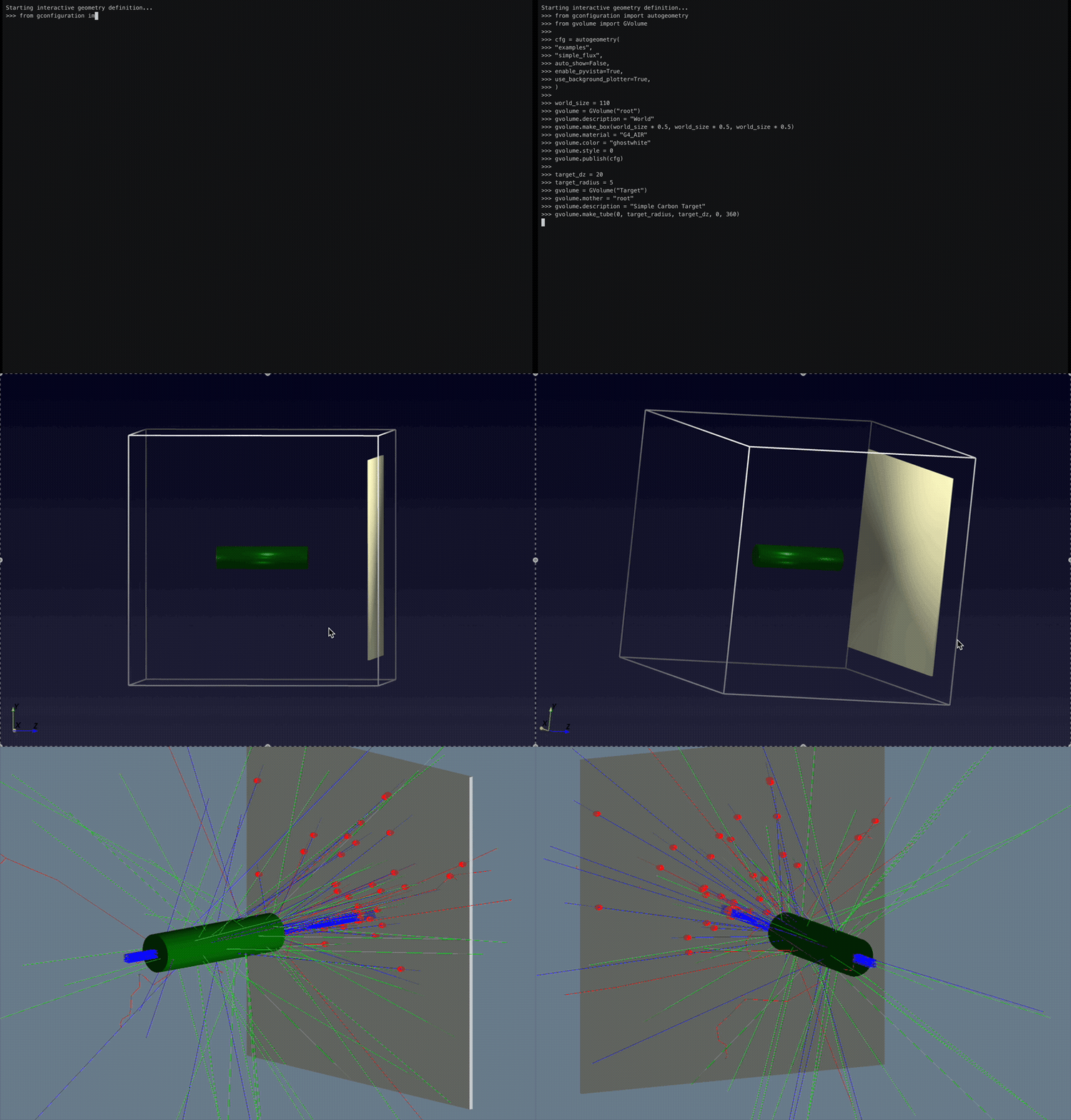
The `pyvista` option gives immediate geometry visualization.
In the GEMC simulation, hits are created from particles generated by a beam of protons impinging on the liquid hydrogen target.
The total deposited energy is plotted with the `analyzer` module.
下面的代码片段定义了位于靶下游的灵敏通量平面。每当一条生成的径迹 穿过该几何体时,GEMC 便记录一次 flux 命中。
# Place a thin scoring plane downstream of the target.
flux_z = 50
flux_dx = 1
flux_dim = world_size * 0.8

# Define the plane as an air box inside the world volume.
gvolume = GVolume("FluxPlane")
gvolume.mother = "root"
gvolume.description = "Flux Scoring Plane"
gvolume.make_box(flux_dim * 0.5, flux_dim * 0.5, flux_dx * 0.5)
gvolume.material = "G4_AIR"
gvolume.color = "FAFAD2"
gvolume.set_position(0, 0, flux_z)

# Turn the volume into a GEMC flux detector and tag its output column.
gvolume.digitization = "flux"
gvolume.set_identifier("flux_plane", 1)
gvolume.publish(cfg)
数据库
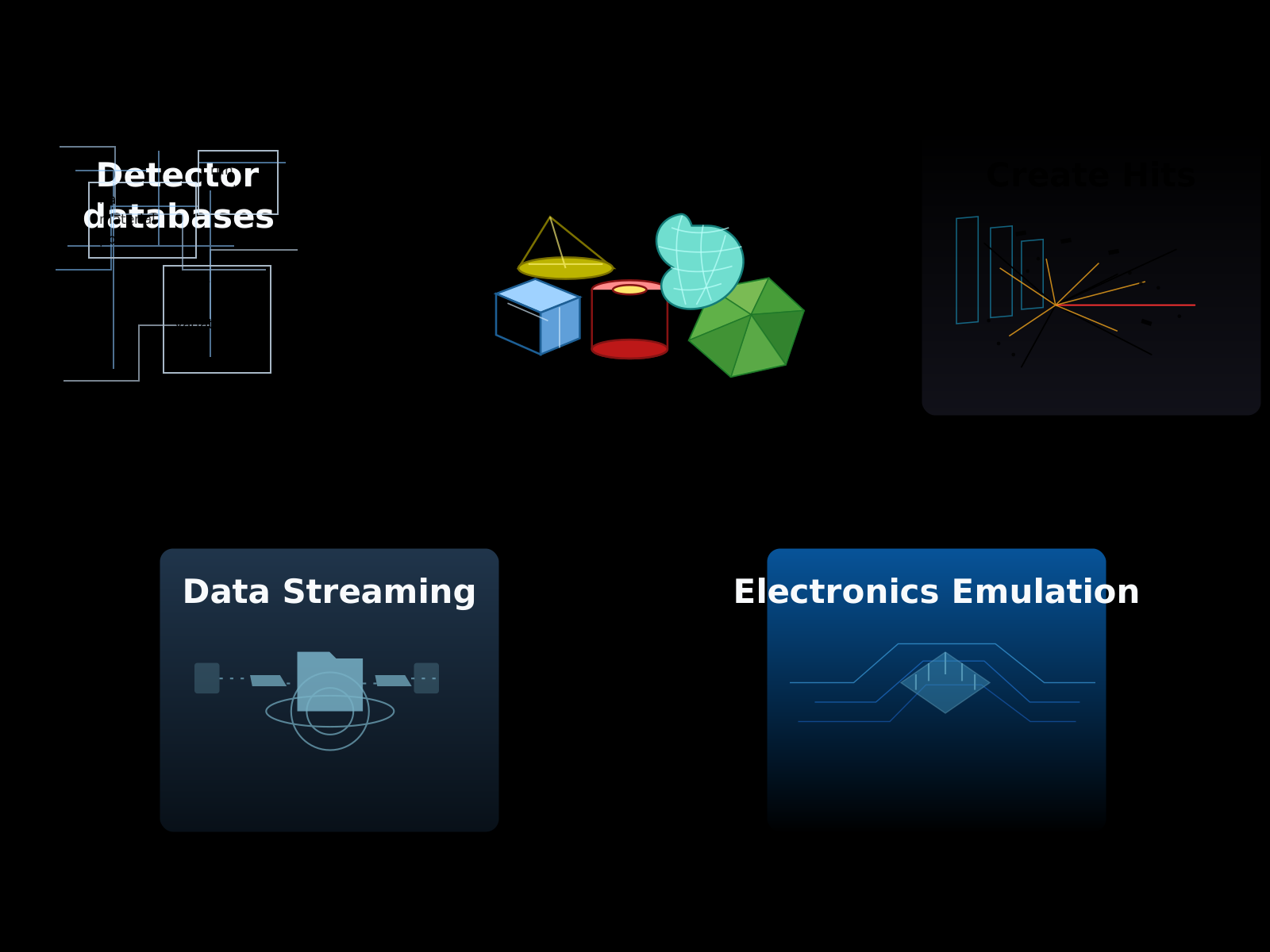
探测器定义存储在数据库中。典型的工作流程只有一个步骤需要用户编写:
Note
运行模拟不需要事先了解 C++ 或 Geant4。 具备基本的 Python 知识有助于组织复杂的装置。 用户还可以定义自己的硬件仿真例程。在这种情况下,具备基本的 C++ 知识有助于 实现复杂的数字化处理。
几何变体
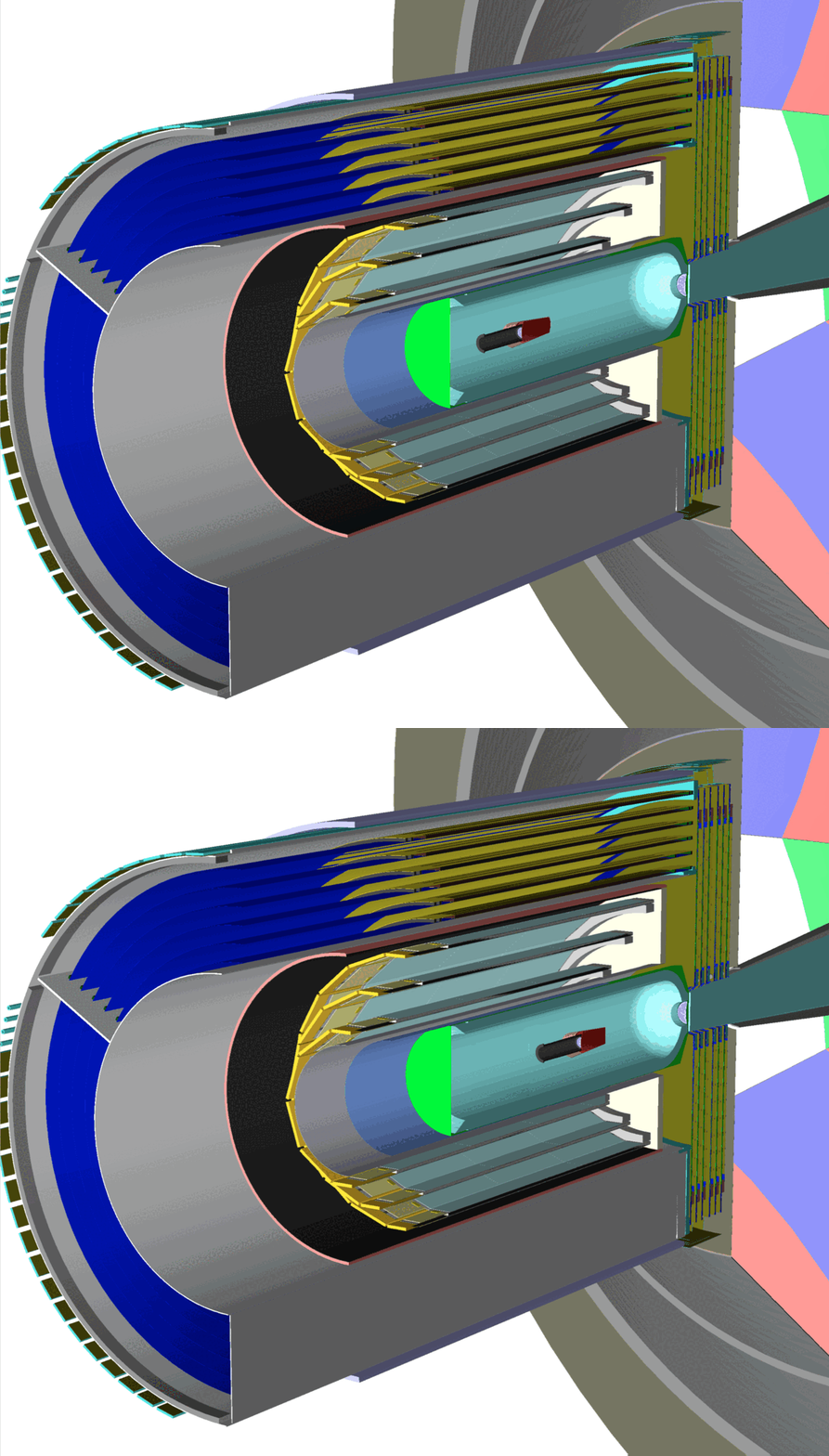
同一个探测器可以在多个实验中复用,并根据需要调整配置,例如移动组件、 更换材料,或增删几何体。 GEMC 通过 variation 字符串和/或 run 编号支持这些几何版本,以适应不同的 模拟 配置。
最新动态
Roadmap to GEMC 0.6
This roadmap tracks the new features, improvements, and issue resolutions planned for GEMC 0.6.
GEMC 0.5
GEMC 0.5 adds streaming readout, Geant4 macro execution, and more reliable geometry and multithreaded simulation. The coordinated release also includes pygemc 0.5.0 and CLAS12 systems 0.3.
Roadmap to GEMC 0.5
This roadmap tracks the new features, improvements, and issue resolutions planned for GEMC 0.5.
持续集成
GEMC 通过 GitHub CI 在多个平台以及 ARM64 和 AMD64 两种架构上构建、测试,并以 Docker 镜像的形式部署。
gemc
| 测试 |  |
| 运行时错误检测 |  |
| CodeQL |  |
| 镜像部署 |  |
| 二进制 tar 归档包 |  |
| macOS tar 归档包 |  |
| 每夜发布 |  |
| 主页 |  |
| Docker 拉取次数 |  |
| Doxygen |  |
| 发行版 tar 归档包 |  |
pygemc
| 每夜开发版发布 |  |
| 发布到 PyPI |  |
| 测试 |  |
| PyPI |  |
参考文献
如果您使用了 GEMC,请务必引用以下论文:
M. Ungaro and the CLAS Collaboration, “The CLAS12 Geant4 simulation,” Nuclear Instruments and Methods in Physics Research Section A: Accelerators, Spectrometers, Detectors and Associated Equipment 959, 163422 (2020). https://doi.org/10.1016/j.nima.2020.163422
BibTeX:
@article{UNGARO2020163422,
  title = {The CLAS12 Geant4 simulation},
  journal = {Nuclear Instruments and Methods in Physics Research Section A: Accelerators,
             Spectrometers, Detectors and Associated Equipment},
  volume = {959},
  pages = {163422},
  year = {2020},
  issn = {0168-9002},
  doi = {https://doi.org/10.1016/j.nima.2020.163422},
  url = {https://www.sciencedirect.com/science/article/pii/S0168900220300279},
  author = {M. Ungaro and {CLAS Collaboration}},
  keywords = {Geant4, GEMC, Simulation, Software, Database, Monte Carlo, CAD, STL, GDML, MYSQL, C++}
}
Bibitem:
\bibitem{UNGARO2020163422}
M. Ungaro and the CLAS Collaboration,
\newblock The CLAS12 Geant4 simulation.
\newblock Nuclear Instruments and Methods in Physics Research Section A \textbf{959}, 163422 (2020).
\newblock \doi{10.1016/j.nima.2020.163422}
源代码与许可证
GEMC 源代码 采用 Apache 许可证 2.0 版 授权;关于署名和 第三方致谢,请参阅 NOTICE。本软件还依赖于单独授权的第三方组件, 包括 Geant4、CLHEP、Qt、ROOT、SQLite 和 Assimp。