本サイトは GEMC バージョン3以降のドキュメントです。 CLAS12シミュレーションには、GEMC2 clas12Tagsリポジトリを使用してください。
Python APIによるデータベース駆動型Geant4シミュレーション
GEMC は、検出器および放射線輸送のシミュレーションを行う、 データベース駆動型のGeant4アプリケーションです。 Python APIを使うと、Geant4コードを書かずに複雑な検出器構成を定義できます。
検出器の記述は実行ファイルから分離されています。Pythonで作成し、 ASCIIまたはSQLiteデータベースに保存すると、GEMCが実行時に読み込んでGeant4シミュレーションを実行します。
主な特長
- Pythonを中心とした検出器定義
pyvistaによるジオメトリのプレビューとVTKへのエクスポート- ASCIIおよびSQLiteデータベース
- GDMLおよびCADファイルからのジオメトリのインポート
- Geant4/Qtによる対話的な可視化とオフスクリーン画像生成
- 組み込みの有感検出器:flux、dosimeter、particle_counter、gPhotonDetector
- ASCII、CSV、JSON、ROOT形式でのシミュレーション出力
- GUI、コマンドライン、YAMLおよびLUNDファイルからのイベント生成
- 多重極磁場やASCII形式の磁場マップを含む磁場サポート
- シミュレーション出力(CSV、ROOT)の読み込みとプロットを行うPythonの
analyzerモジュール - ジオメトリのバリエーションとラン番号に応じた設定
GEMCは、独自のGeant4アプリケーションを書かずに検出器システムの試作を行えるよう支援することを目指しています。 C++プラグインにより、独自の検出器応答、磁場、イベント生成器、出力形式にも対応できます。
GEMCを試す
インストールは不要です。バッジをクリックすると、ブラウザ上で JupyterLab セッションを起動できます:

|
シンプルな検出器とターゲットを備えたシステムを作成します |

|
Geant4 の basic B2 例を再現します |

|
CAD ファクトリで STL の臓器メッシュをインポートし、臓器ごとの線量を記録します |
|
|
Analyzer プロットによる 11 件の検証済み頂点・角度ケース |

|
再利用可能なコンポーネントボリュームから減算・和・積の立体を構築します |

|
Geant4 の組み込み材料、カスタム組成、光学特性を実演します |

|
distribute_on_circle を使用して円筒形バレルを敷き詰める 48 枚の台形シンチレータパドル |

|
GEMC 検出器におけるチェレンコフ放射の有効化を紹介します |

|
同一条件下での研磨、粗面、半透明の光学ミラーを紹介します |

|
薄い G4Paraboloid ミラーシェルで光学光子を集束します |
コンテナイメージ
ローカル環境またはHPC環境でのJupyterLabセッションには、ビルド済みのマルチアーキテクチャイメージを使用してください:
# Docker
docker run --rm -p 8888:8888 ghcr.io/gemc/binder-tutorials:latest

# Apptainer
apptainer pull gemc-binder-tutorials.sif docker://ghcr.io/gemc/binder-tutorials:latest
apptainer exec gemc-binder-tutorials.sif jupyter lab --ip=0.0.0.0 --no-browser
インタラクティブ3Dギャラリー
各サムネイル内で、マウスホイールまたは矢印キーを使ってカメラを回転できます。 タイトルのリンクをクリックすると、ドキュメントが表示されます。
pygemc:Python API
GEMCのPython APIであるpygemcは、ジオメトリおよび物質のデータベース作成機能、
pyvistaによるジオメトリの可視化、gemc-system-template、gemc-analyzerを提供します。
解析ツールはGEMCのCSVおよびROOT出力を読み込み、選択した変数のヒストグラムを描画できます。
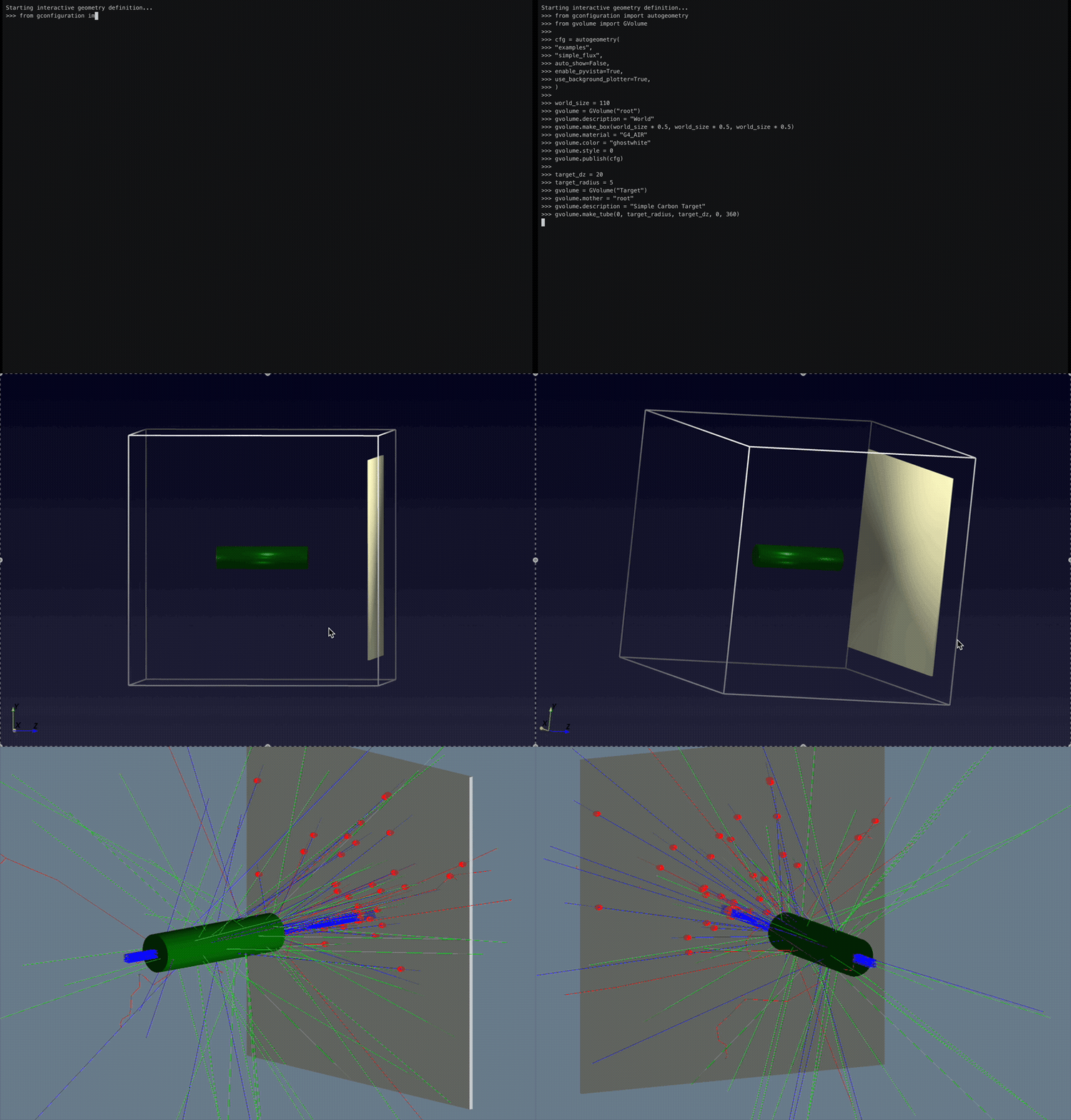
The `pyvista` option gives immediate geometry visualization.
In the GEMC simulation, hits are created from particles generated by a beam of protons impinging on the liquid hydrogen target.
The total deposited energy is plotted with the `analyzer` module.
以下のコード抜粋では、標的の下流にある有感なフラックス検出面を定義しています。 生成されたトラックがこのボリュームを横切るたびに、GEMCは flux ヒットを記録します。
# Place a thin scoring plane downstream of the target.
flux_z = 50
flux_dx = 1
flux_dim = world_size * 0.8

# Define the plane as an air box inside the world volume.
gvolume = GVolume("FluxPlane")
gvolume.mother = "root"
gvolume.description = "Flux Scoring Plane"
gvolume.make_box(flux_dim * 0.5, flux_dim * 0.5, flux_dx * 0.5)
gvolume.material = "G4_AIR"
gvolume.color = "FAFAD2"
gvolume.set_position(0, 0, flux_z)

# Turn the volume into a GEMC flux detector and tag its output column.
gvolume.digitization = "flux"
gvolume.set_identifier("flux_plane", 1)
gvolume.publish(cfg)
データベース
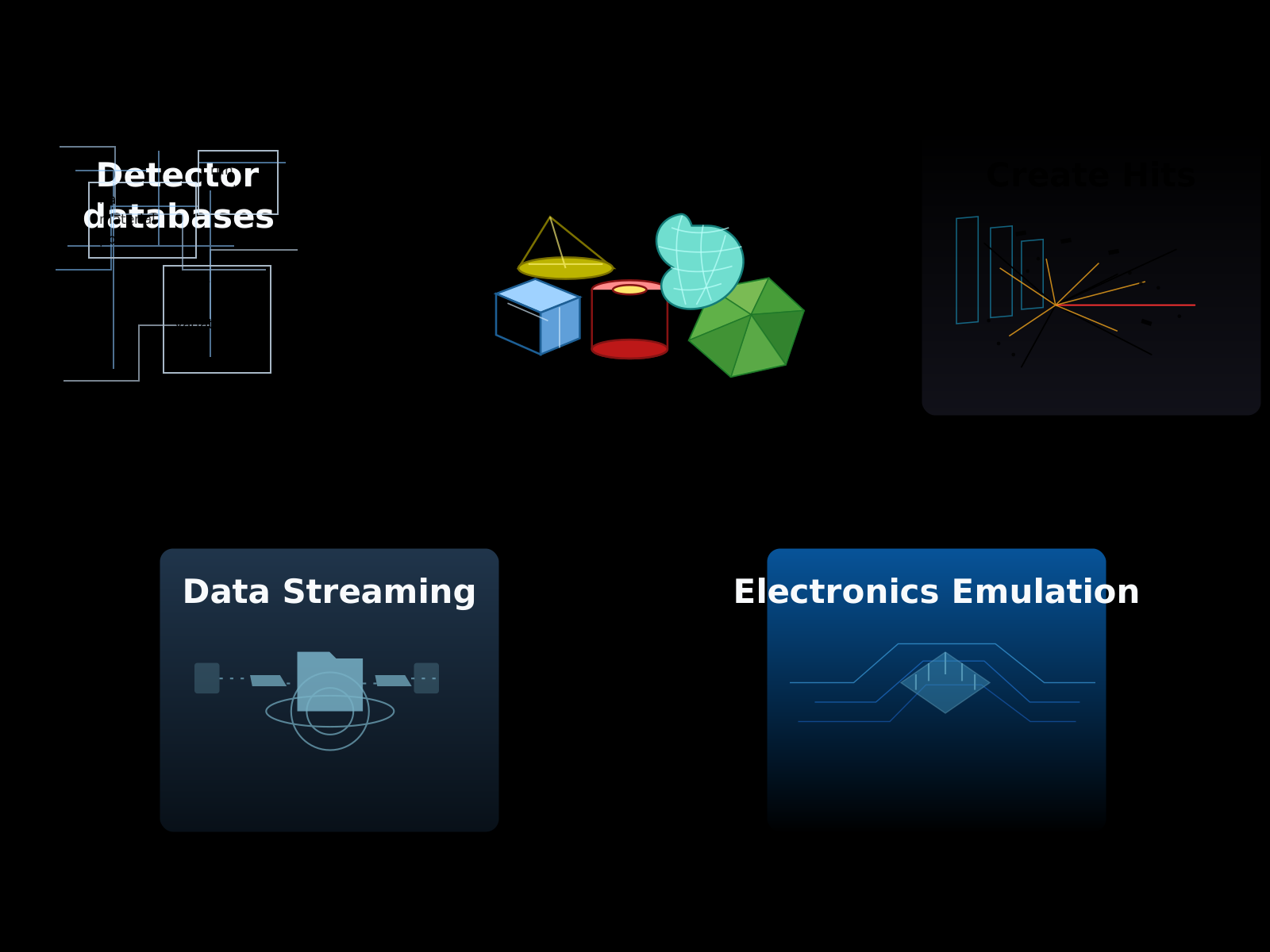
検出器定義はデータベースに保存されます。標準的なワークフローでは、ユーザーが記述を行うのは1つのステップです:
Note
シミュレーションの実行に、C++やGeant4の事前知識は必要ありません。 基本的なPythonの知識があると、複雑な構成を整理するのに役立ちます。 ユーザーは 独自のハードウェアエミュレーションルーチンを定義する こともできます。 この場合、複雑なデジタイゼーション処理には基本的なC++の知識が役立ちます。
ジオメトリのバリエーション
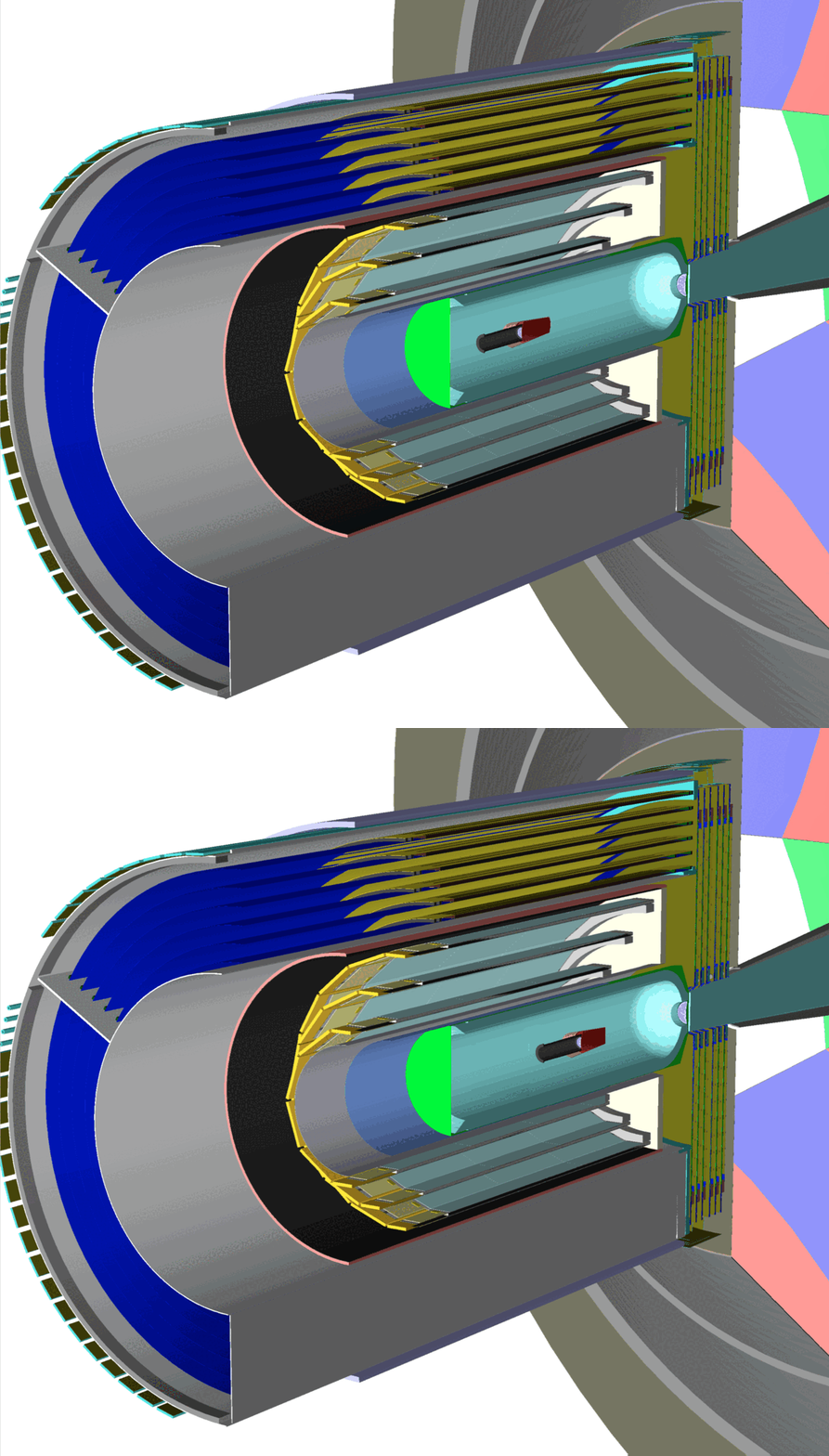
検出器は、構成要素の位置の変更、物質の変更、ボリュームの追加や削除といった設定変更を加えることで、 複数の実験で再利用できます。 GEMCは、variation 文字列や run 番号を用いてこれらのジオメトリのバージョンに対応し、 さまざまなシミュレーション構成に適応できます。
最新ニュース
Roadmap to GEMC 0.6
This roadmap tracks the new features, improvements, and issue resolutions planned for GEMC 0.6.
GEMC 0.5
GEMC 0.5 adds streaming readout, Geant4 macro execution, and more reliable geometry and multithreaded simulation. The coordinated release also includes pygemc 0.5.0 and CLAS12 systems 0.3.
Roadmap to GEMC 0.5
This roadmap tracks the new features, improvements, and issue resolutions planned for GEMC 0.5.
継続的インテグレーション
GEMCは、GitHub CIにより、複数のプラットフォームとARM64およびAMD64の両アーキテクチャで ビルドとテストが行われ、Dockerイメージとしてデプロイされます。
gemc
| テスト |  |
| サニタイザー |  |
| CodeQL |  |
| イメージのデプロイ |  |
| バイナリのtarアーカイブ |  |
| macOS用tarアーカイブ |  |
| ナイトリーリリース |  |
| ホームページ |  |
| Dockerプル数 |  |
| Doxygen |  |
| リリースのtarアーカイブ |  |
pygemc
| 開発版ナイトリーリリース |  |
| PyPIへの公開 |  |
| テスト |  |
| PyPI |  |
参考文献
GEMCを使用する場合は、必ず以下の論文を引用してください:
M. Ungaro and the CLAS Collaboration, “The CLAS12 Geant4 simulation,” Nuclear Instruments and Methods in Physics Research Section A: Accelerators, Spectrometers, Detectors and Associated Equipment 959, 163422 (2020). https://doi.org/10.1016/j.nima.2020.163422
BibTeX:
@article{UNGARO2020163422,
  title = {The CLAS12 Geant4 simulation},
  journal = {Nuclear Instruments and Methods in Physics Research Section A: Accelerators,
             Spectrometers, Detectors and Associated Equipment},
  volume = {959},
  pages = {163422},
  year = {2020},
  issn = {0168-9002},
  doi = {https://doi.org/10.1016/j.nima.2020.163422},
  url = {https://www.sciencedirect.com/science/article/pii/S0168900220300279},
  author = {M. Ungaro and {CLAS Collaboration}},
  keywords = {Geant4, GEMC, Simulation, Software, Database, Monte Carlo, CAD, STL, GDML, MYSQL, C++}
}
Bibitem:
\bibitem{UNGARO2020163422}
M. Ungaro and the CLAS Collaboration,
\newblock The CLAS12 Geant4 simulation.
\newblock Nuclear Instruments and Methods in Physics Research Section A \textbf{959}, 163422 (2020).
\newblock \doi{10.1016/j.nima.2020.163422}
ソースコードとライセンス
GEMCのソースコードは、 Apache License, Version 2.0に基づいて提供されています。帰属表示と サードパーティへの謝辞については、NOTICEを参照してください。 本ソフトウェアは、Geant4、CLHEP、Qt、ROOT、SQLite、Assimpなど、個別のライセンスが適用されるサードパーティ製コンポーネントにも依存しています。