CLAS12 电磁量能器示例
本示例展示来自 clas12-systems 的 CLAS12 电磁量能器(EC)几何结构。
快速开始
在 clas12-systems 仓库中,构建几何数据库并运行一次简短的模拟:
cd $GEMC_HOME/../clas12-systems/geometry_src/ec
./ec.py
gemc ec.yaml -n=1
几何结构
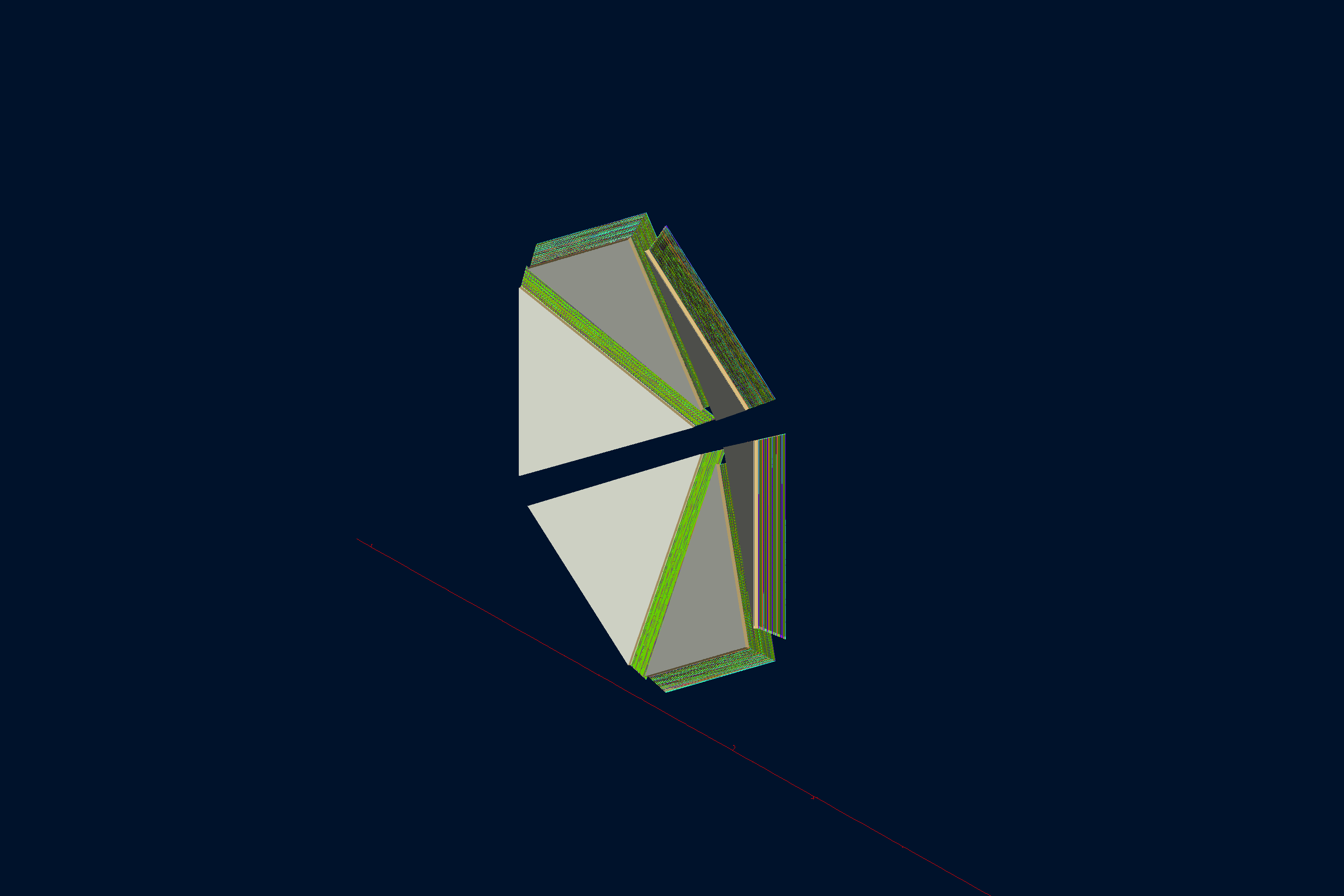
如下图所示,几何结构在 geometry_src/ec/ec.py 和 geometry_src/ec/geometry.py 中定义。
EC 构建器读取本地的 coatjava 几何工厂,将 CLAS12 量能器的扇区、盖板、铅吸收层
和闪烁体条带转换为 GEMC 体积,并将它们存储在 gemc.db 中。
世界体积(一个名为 root 的盒子)包含:
- 六个扇区母体积,命名为 ec_s1 到 ec_s6
- 每个扇区三层盖板(eclid1 到 eclid3):两层不锈钢表层和一个 Last-a-Foam 芯层
- 命名为 lead_<layer>s<sector>_view<view>stack<stack> 的铅吸收层
- U、V 和 W 闪烁体条带,分别命名为 U_strip_…、V_strip_… 和 W_strip_…
EC 是一个大型几何结构,因此本示例在 _data/examples.yml 中设置了 pyvista-fast: true,以便在导出
下方的交互式视图时使用快速的 PyVista 渲染路径。
交互式查看器:
物理过程列表
默认使用 FTFP_BERT,在 YAML 文件中通过 phys_list: FTFP_BERT 选择。
phys_list
The physics list can be selected using the option
gemc -phys_list <value>where
<value>can be a combination of the Geant4 physics constructors separated by the+sign. For examplegemc -phys_list="FTFP_BERT + G4NeutronCrossSectionXS"To see a list of the available Geant4 constructors:
gemc -showPhysics
生成器
粒子的运动学参数在 YAML 文件中定义:
gparticle:
  - name: e-
    p: 5000*MeV
    delta_p: 1*GeV
    theta: 25*deg
    delta_theta: 15*deg
    randomThetaModel: cosine
    phi: 60*deg
    delta_phi: 180*deg
更多信息另请参阅内部生成器文档。
数字化
闪烁体条带使用 CLAS12 专用的 ec 数字化插件。标识符记录扇区、 层和条带编号:
gvolume.digitization = "ec"
gvolume.set_identifier("sector", sector, "layer", hipo_layer, "strip", strip)
使用方法
构建探测器
使用 geometry_src/ec/ec.py 构建探测器。默认情况下,探测器配置存储在名为
gemc.db 的 SQLite 文件中。
更多信息另请参阅构建几何结构。
运行 GEMC
可以使用 ec.yaml 文件来运行该探测器配置。添加 -gui 以交互方式运行:
gemc ec.yaml -gui
根据需要修改 ec.yaml,尤其是添加粒子、控制线程数或更改输出。
运行事件
输出
gstreamer 选项用于选择输出文件名和格式:
gstreamer:
  - format: csv
    filename: ec
  - format: hipo
    filename: ec
更多信息另请参阅输出文档。
使用 GEMC 分析器绘图
首先运行 GEMC,模拟 2,000 个事件。默认的 YAML 文件会写出供分析器使用的 CSV 数据流。
gemc ec.yaml -n=2000 -no_field=all -plugin_path=/opt/projects/gemc/clas12-systems/build
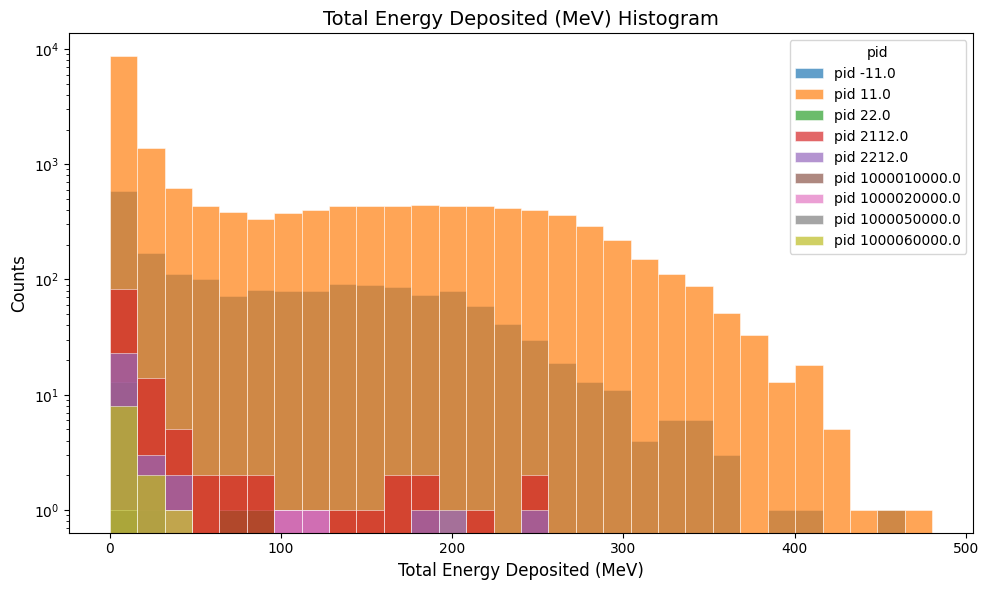
绘制每次命中沉积的总能量:
gemc-analyzer ec_t0_true_info.csv totalEDeposited --kind csv --data true_info
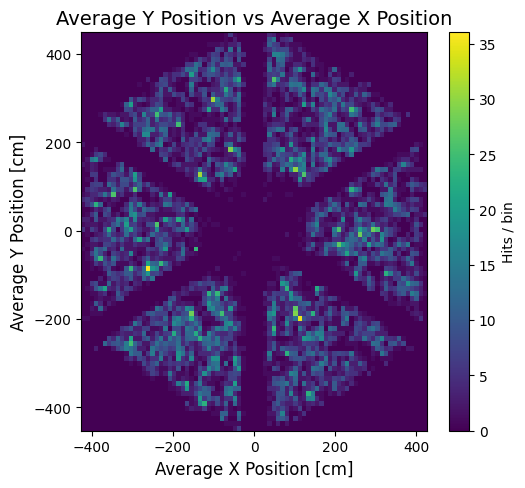
绘制命中位置的 y 对 x 分布:
gemc-analyzer ec_t0_true_info.csv --kind csv --data true_info --plot yvsx --bins 80