Scintillator Barrel
This example builds a cylindrical scintillator barrel detector made of 48 trapezoidal paddles
arranged in a complete ring. It demonstrates the distribute_on_circle API to replicate a
volume at equal angular intervals around a circle and shows how to size the paddles so that
adjacent faces are nearly contiguous.
You can run this example in your browser: 
Quickstart
Copy the example to your current directory. To create the geometry and run 3 events:
cp -r $GEMC_HOME/examples/basic/scintillator_barrel .
cd scintillator_barrel
./scintillator_barrel.py
gemc scintillator_barrel.yaml
Geometry
The geometry is defined in scintillator_barrel.py. The world (a box named root) contains
48 identical paddle volumes arranged in a ring:
- Each paddle is a
G4Trapgeneral trapezoid (G4_PLASTIC_SC_VINYLTOLUENE) with its wider face pointing radially outward and its narrower face toward the beam axis. - The paddles are sized with the chord formula so that adjacent outer faces are contiguous:
- outer half-width:
pX = (radius + pY) × sin(π/n) - inner half-width:
pLTX = (radius − pY) × sin(π/n)
- outer half-width:
distribute_on_circle(n=48, radius=400 mm, align=True, axis='z')places and rotates each copy around the z axis with equal 7.5° steps.
See the Structure Helpers documentation for the full
distribute_on_circle API reference and the sizing geometry.
Interactive viewer (full 48-paddle barrel):
Physics List
QBBC is used by default, selected in the YAML file with phys_list: QBBC.
phys_list
The physics list can be selected using the option
gemc -phys_list <value>where
<value>can be a combination of the Geant4 physics constructors separated by the+sign. For examplegemc -phys_list="FTFP_BERT + G4NeutronCrossSectionXS"To see a list of the available Geant4 constructors:
gemc -showPhysics
Generator
The particle kinematics are defined in the YAML file:
gparticle:
  - name: proton
    p: 500*MeV
    theta: 90*deg
    delta_phi: 360*deg
    multiplicity: 3
See also the Internal Generator Documentation for more information.
Digitization
Each paddle is assigned the flux digitization with a unique paddle identifier:
paddle.digitization = "flux"
# ...
v.set_identifier("paddle", i)
See the Flux Documentation for more information.
The distribute_on_circle API
The distribute_on_circle method on GVolume replicates the template volume n times
around a circle of the given radius. With align=True, each copy is additionally rotated
around the chosen axis by its angular position φᵢ, keeping each paddle’s local frame aligned
radially:
for i, v in enumerate(paddle.distribute_on_circle(n, radius, align=True, axis='z')):
    v.set_identifier("paddle", i)
    v.publish(cfg)
The method returns a list of independent GVolume copies, one per angular step, each named
<name>_i and positioned at (radius·cos φᵢ, radius·sin φᵢ, 0).
Full API reference in the Structure Helpers documentation.
Usage
Building the detector
Use the Python script scintillator_barrel.py to build the detector. By default, the setup
is stored in a SQLite file named gemc.db. Command-line options can define the database type,
variations, and run number.
See also the Building Geometry for more information.
Running GEMC
The file scintillator_barrel.yaml runs the simulation. Add -gui to run interactively:
gemc scintillator_barrel.yaml -gui
Modify scintillator_barrel.yaml as needed, in particular to change the number of events,
add threads, or select output formats.
Running Events
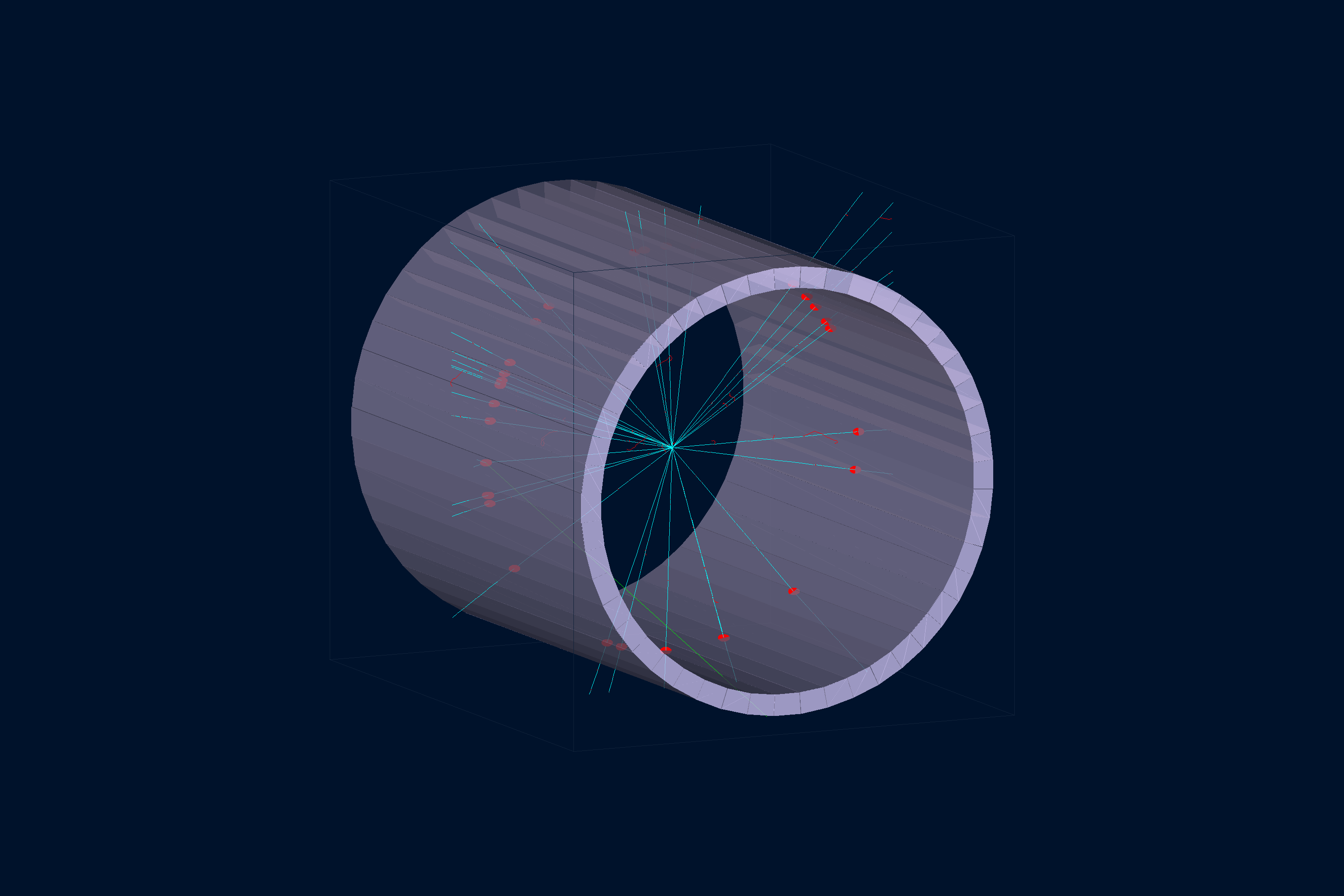
The view below shows the barrel end-on after one event, with 3 protons fired radially outward at θ = 90°. Each proton traverses one scintillator paddle.
Output
The gstreamer option selects the output filenames and the format:
gstreamer:
  - format: csv
    filename: barrel
See also the Output Documentation for more information.
Plotting with the GEMC Analyzer
Run GEMC with 1,000 events first. The default YAML file writes the analyzer CSV streams.
gemc scintillator_barrel.yaml -n=1000
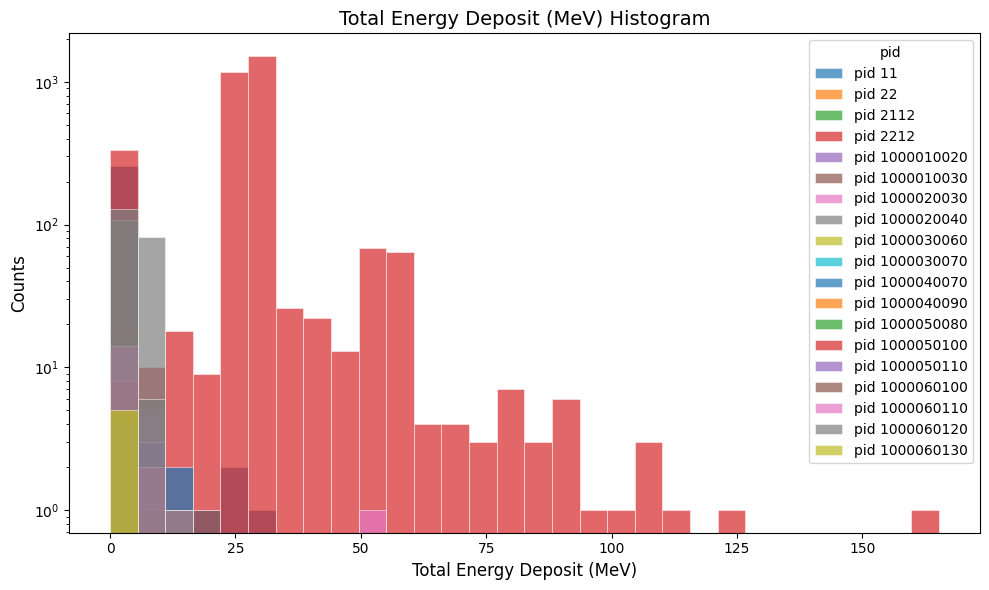
Plot the total energy deposited per hit:
gemc-analyzer barrel_t0_digitized.csv totEdep --kind csv
Plot the true particle track energy:
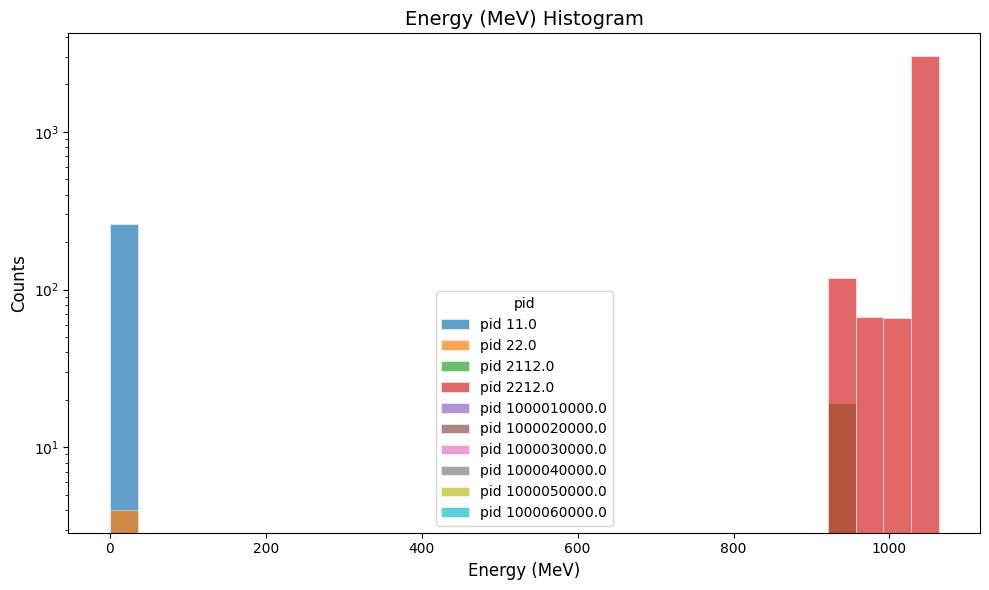
gemc-analyzer barrel_t0_true_info.csv E --kind csv --data true_info