CLAS12 Electromagnetic Calorimeter Example
This example shows the CLAS12 electromagnetic calorimeter (EC) geometry from clas12-systems.
Quickstart
From the clas12-systems repository, build the geometry database and run a short simulation:
cd $GEMC_HOME/../clas12-systems/geometry_src/ec
./ec.py
gemc ec.yaml -n=1
Geometry
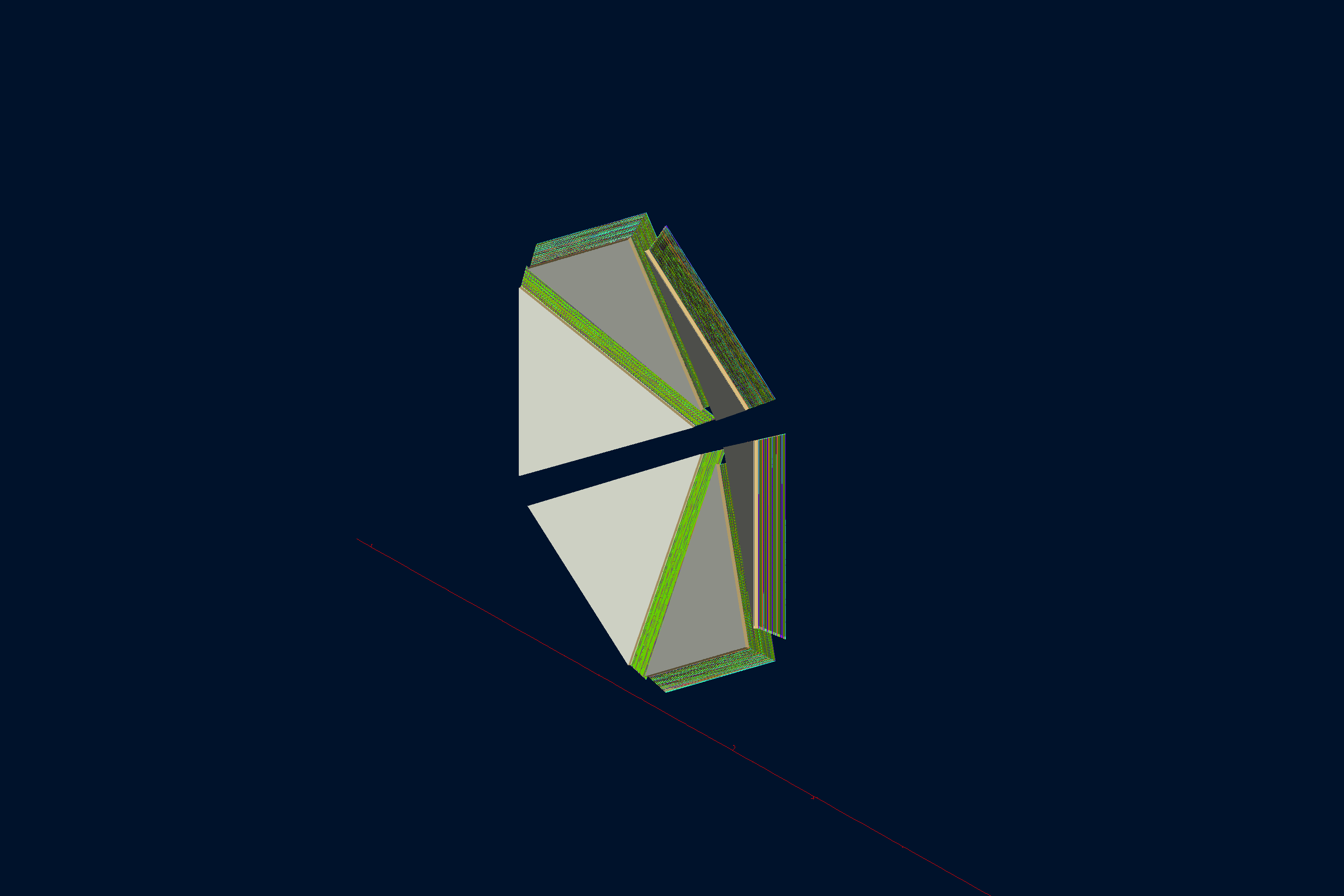
The geometry, shown below, is defined in geometry_src/ec/ec.py and geometry_src/ec/geometry.py.
The EC builder reads the local coatjava geometry factory, converts the CLAS12 calorimeter sectors, lids, lead
absorbers, and scintillator strips to GEMC volumes, and stores them in gemc.db.
The world (a box named root) contains:
- six sector mother volumes named ec_s1 through ec_s6
- three lid layers per sector (eclid1 to eclid3): two stainless-steel skins and a Last-a-Foam core
- lead absorber layers named lead_<layer>s<sector>_view<view>stack<stack>
- U, V, and W scintillator strips named U_strip_…, V_strip_…, and W_strip_…
The EC is a large geometry, so the example sets pyvista-fast: true in _data/examples.yml to use the fast
PyVista rendering path when exporting the interactive view below.
Interactive viewer:
Physics List
FTFP_BERT is used by default, selected in the YAML file with phys_list: FTFP_BERT.
phys_list
The physics list can be selected using the option
gemc -phys_list <value>where
<value>can be a combination of the Geant4 physics constructors separated by the+sign. For examplegemc -phys_list="FTFP_BERT + G4NeutronCrossSectionXS"To see a list of the available Geant4 constructors:
gemc -showPhysics
Generator
The particle kinematics are defined in the YAML file:
gparticle:
  - name: e-
    p: 5000*MeV
    delta_p: 1*GeV
    theta: 25*deg
    delta_theta: 15*deg
    randomThetaModel: cosine
    phi: 60*deg
    delta_phi: 180*deg
See also the Internal Generator Documentation for more information.
Digitization
The scintillator strips use the CLAS12-specific ec digitization plugin. The identifiers record sector, layer, and strip numbers:
gvolume.digitization = "ec"
gvolume.set_identifier("sector", sector, "layer", hipo_layer, "strip", strip)
Usage
Building the detector
Use geometry_src/ec/ec.py to build the detector. By default, the setup is stored in a SQLite file named
gemc.db.
See also the Building Geometry for more information.
Running GEMC
The file ec.yaml can be used to run the setup. Add -gui to run interactively:
gemc ec.yaml -gui
Modify ec.yaml as needed, in particular to add particles, control the number of threads, or change the output.
Running Events
Output
The gstreamer option selects the output filenames and formats:
gstreamer:
  - format: csv
    filename: ec
  - format: hipo
    filename: ec
See also the Output Documentation for more information.
Plotting with the GEMC Analyzer
Run GEMC with 2,000 events first. The default YAML file writes the analyzer CSV streams.
gemc ec.yaml -n=2000 -no_field=all -plugin_path=/opt/projects/gemc/clas12-systems/build
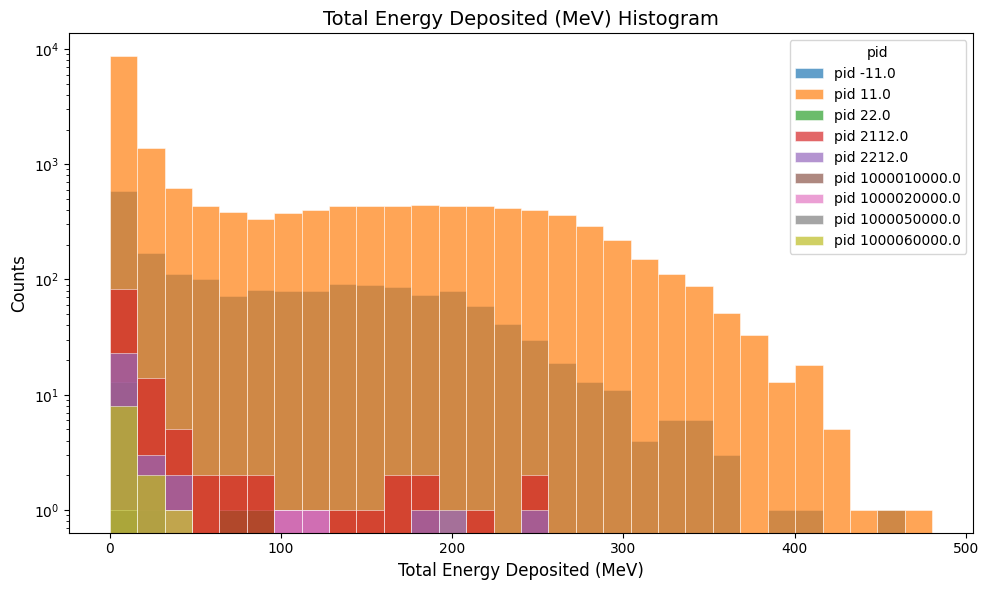
Plot the total energy deposited per hit:
gemc-analyzer ec_t0_true_info.csv totalEDeposited --kind csv --data true_info
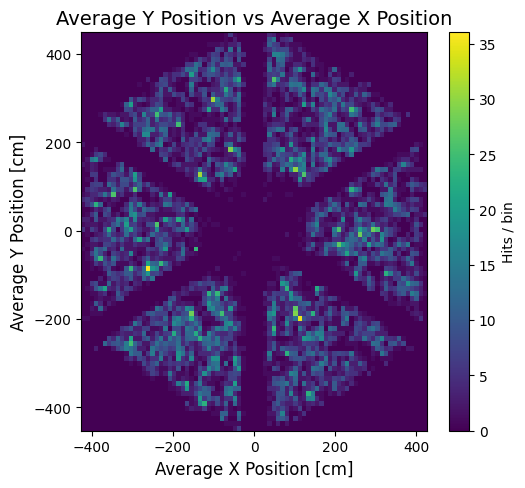
Plot the y vs x hit positions:
gemc-analyzer ec_t0_true_info.csv --kind csv --data true_info --plot yvsx --bins 80