CLAS12 Forward Tagger Example
This example shows the CLAS12 Forward Tagger (FT) geometry from clas12-systems. The FT sits at small
polar angles and is built from three subsystems: an electromagnetic calorimeter, a scintillator hodoscope,
and a Micromegas tracker.
The FT geometry and digitization are available in clas12-systems 0.3 with GEMC 0.5 and pygemc 0.5.0.
Quickstart
From the clas12-systems repository, build the geometry database and run a short simulation:
cd $GEMC_HOME/../clas12-systems/geometry_src/ft
./ft.py
gemc ft.yaml -n=1
Geometry
The geometry, shown below, is defined in geometry_src/ft/geometry.py and built by
geometry_src/ft/ft.py. The FT builder assembles the three subsystems into a single gemc.db:
- the calorimeter, a matrix of PbWO4 crystals, each wrapped and coupled to an APD, named ft_cal_cr_h<ih>_v<iv>, plus copper housing, motherboard, and shielding volumes
- the hodoscope, scintillator tiles named per sector, layer, and component
- the tracker, Micromegas disks with kapton, photoresist, and ring volumes on each layer and side
The world (a box named root) contains all three subsystems. Flux detectors are added at the calorimeter and tracker to record the incident particle flux.
Interactive viewer:
Physics List
FTFP_BERT is used by default, selected in the YAML file with phys_list: FTFP_BERT.
phys_list
The physics list can be selected using the option
gemc -phys_list <value>where
<value>can be a combination of the Geant4 physics constructors separated by the+sign. For examplegemc -phys_list="FTFP_BERT + G4NeutronCrossSectionXS"To see a list of the available Geant4 constructors:
gemc -showPhysics
Generator
The particle kinematics are defined in the YAML file:
gparticle:
  - name: e-
    p: 2000*MeV
    theta: 3*deg
    phi: 10*deg
    delta_phi: 180*deg
See also the Internal Generator Documentation for more information.
Digitization
Each FT subsystem uses its own CLAS12-specific digitization plugin. The calorimeter crystals use ft_cal, the hodoscope tiles use ft_hodo, and the tracker disks use ft_trk. The identifiers record the component read out, for example the calorimeter crystal row and column:
digitization="ft_cal",
identifiers=("ih", ix, "iv", iy),
Usage
Building the detector
Use geometry_src/ft/ft.py to build the detector. By default, the setup is stored in a SQLite file named
gemc.db.
See also the Building Geometry for more information.
Running GEMC
The file ft.yaml can be used to run the setup. Add -gui to run interactively:
gemc ft.yaml -gui
Modify ft.yaml as needed, in particular to add particles, control the number of threads, or change the
output.
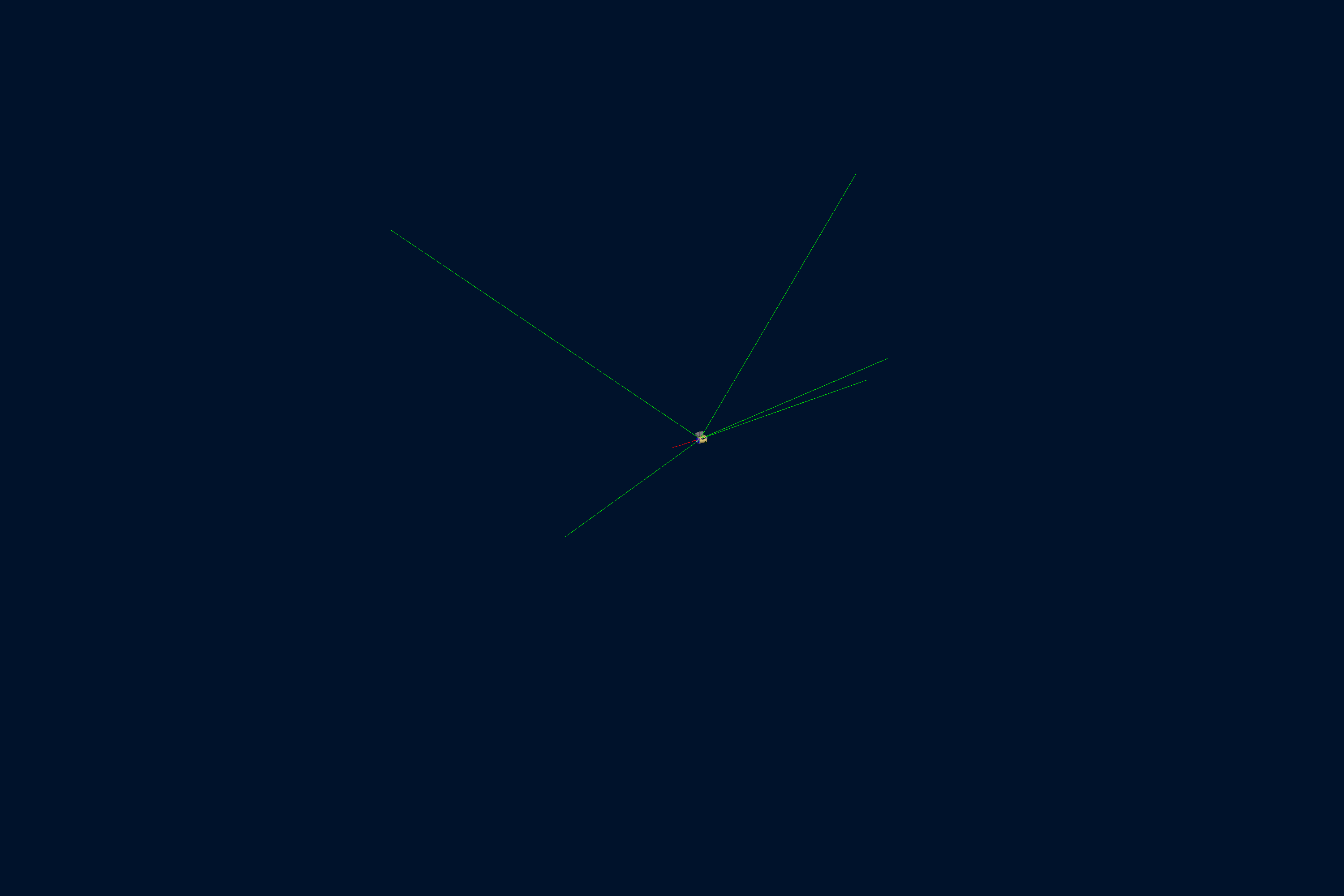
Running Events
Output
The gstreamer option selects the output filenames and formats:
gstreamer:
  - format: csv
    filename: ft
  - format: hipo
    filename: ft
See also the Output Documentation for more information.
The forward tagger reads out three detectors (ft_cal, ft_hodo, and ft_trk) with different identifier structures. The analyzer example below disables true-information and digitized output for the flux, hodoscope, and tracker detectors so the CSV contains the consistent ft_cal schema.
Plotting with the GEMC Analyzer
Run GEMC with 2,000 events first. The default YAML file writes the analyzer CSV streams.
gemc ft.yaml -n=2000 -no_field=all -plugin_path=/opt/projects/gemc/clas12-systems/build \
  -no_true_info="flux ft_hodo ft_trk" -no_digitized="flux ft_hodo ft_trk"
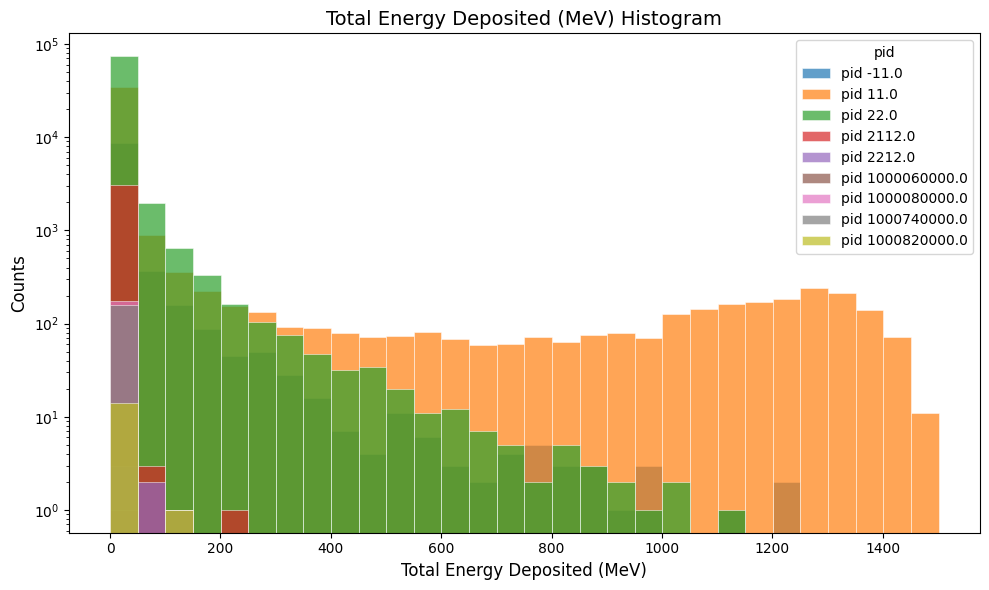
Plot the total energy deposited per hit:
gemc-analyzer ft_t0_true_info.csv totalEDeposited --kind csv --data true_info
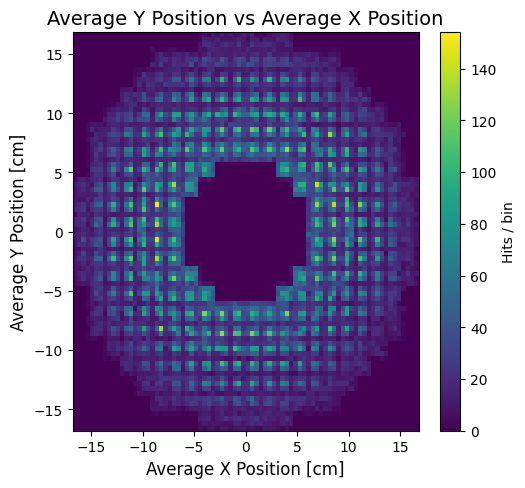
Plot the y vs x hit positions:
gemc-analyzer ft_t0_true_info.csv --kind csv --data true_info --plot yvsx --bins 80