サンプル b1
このサンプルは Geant4 の基本サンプル B1 を再現したものです。dosimeter のデジタイゼーションを 使用して、検出器の累積線量を記録します。
このサンプルはブラウザ上で実行できます: 
クイックスタート
サンプルをカレントディレクトリにコピーします。 ジオメトリを作成し、10 イベントを実行して、ROOT と CSV の出力ファイルを生成するには、次のようにします:
cp -r $GEMC_HOME/examples/basic/b1 .
cd b1
./b1.py
gemc b1.yaml -n=10
ジオメトリ
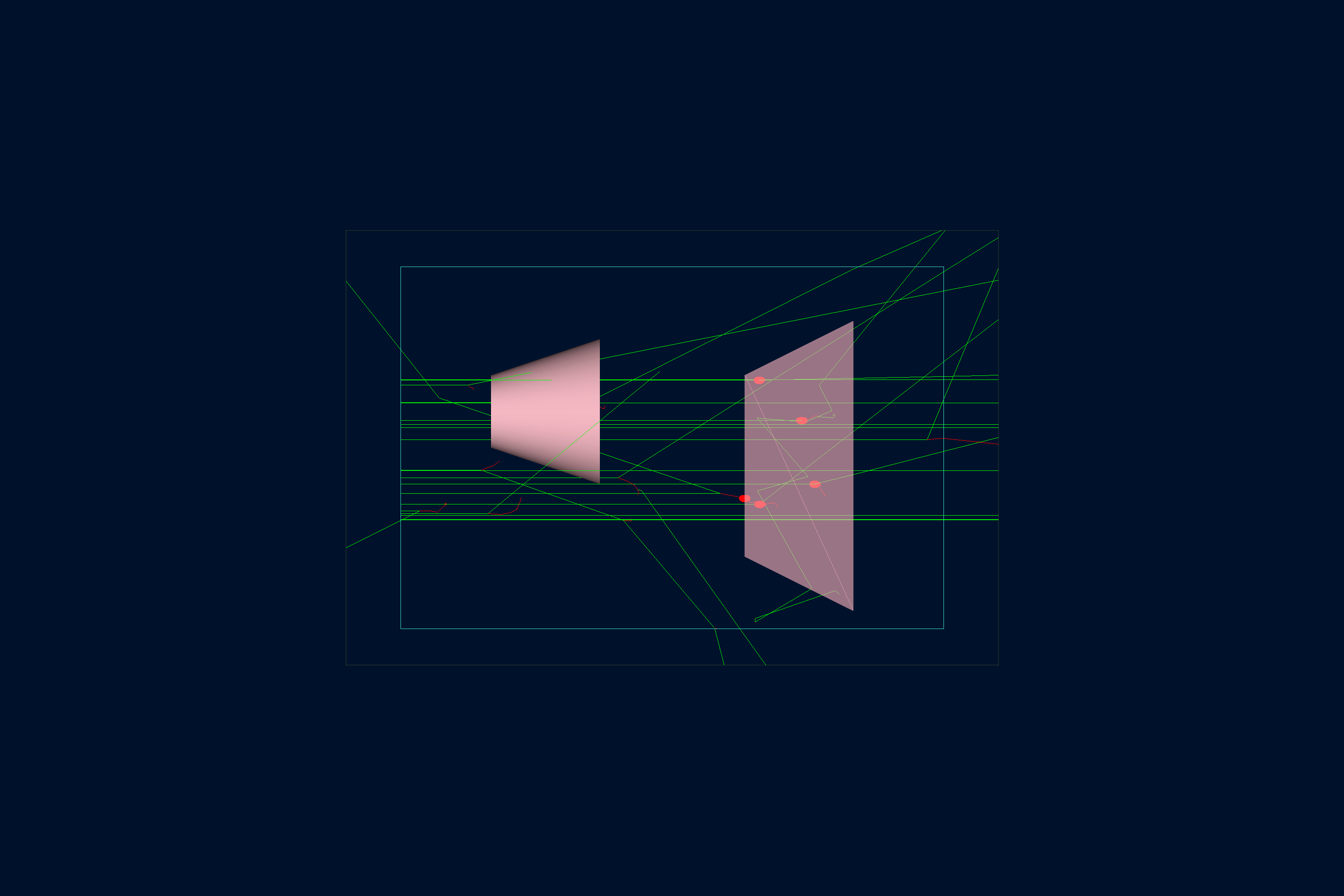
以下に示すジオメトリは b1.py で定義されています。
ワールド(root という名前のボックス)には、次のものが含まれます:
- Envelope。水でできたもう 1 つのボックスです。
-
Shape1 と Shape2。Envelope の内部に配置されたポリコーンと台形体です。これらはそれぞれ組織と 骨の材料でできており、医療用途でよく使われるため、 Geant4 材料データベース にあらかじめ定義されています:
- G4_A-150_TISSUE
- G4_BONE_COMPACT_ICRU
インタラクティブビューア:
フィジックスリスト
デフォルトでは QBBC が使用され、YAML ファイルの phys_list: QBBC で選択されています。
phys_list
The physics list can be selected using the option
gemc -phys_list <value>where
<value>can be a combination of the Geant4 physics constructors separated by the+sign. For examplegemc -phys_list="FTFP_BERT + G4NeutronCrossSectionXS"To see a list of the available Geant4 constructors:
gemc -showPhysics
ジェネレータ
粒子の運動学的条件は YAML ファイルで定義されています:
gparticle:
  - name: gamma
    p: 6*MeV
    vz: -15*cm
    delta_vx: 4*cm
    delta_vy: 4*cm
    multiplicity: 1
gparticle
The
gparticleoption controls the Geant4 particle gun. For the complete list of parameters:gemc help gparticle.Common parameters:
name: particle name (mandatory), e.g.protonore-multiplicity: number of copies generated per event; copies are independently randomized when spread parameters such asdelta_pordelta_thetaare setp: particle momentum with unit, e.g.4*GeVor4000*MeVdelta_p: momentum spread, centered onptheta: polar angle with unit, e.g.23*degor0.4*raddelta_theta: polar-angle spread, centered onthetaphi: azimuthal angle with unit, e.g.90*degKinematic values accept an explicit Geant4 unit (
value*unit). A plain number without a unit falls back to MeV for momentum, deg for angles, and cm for vertex coordinates, with a logged warning.For example, to define a particle gun with one electron along z plus one proton at θ = 30° and φ = 90°:
Command line:
-gparticle="[{name: e-, p: 5*GeV}, {name: proton, p: 2000*MeV, theta: 30*deg, phi: 90*deg}]"YAML:
gparticle:
  - name: e-
    p: 5*GeV
    multiplicity: 5
  - name: proton
    p: 2000*MeV
    theta: 30*deg
    phi: 90*deg
詳細については 内部ジェネレータのドキュメント も参照してください。
デジタイゼーション
Shape2 ボリュームの感応設定は、dosimeter のデジタイゼーション(GEMC にあらかじめ用意されたルーチンの 1 つ)を使って
b1.py 内で指定されています:
gvolume.digitization = 'dosimeter'
gvolume.set_identifier('mydosimeter', 1)
dosimeter のデジタイゼーションは、ラン内の各イベントを通じて変数 etot と dose を生成し、累積します。
\[\mathrm{dose} = \frac{\mathrm{etot}}{\mathrm{mass}}\]ここで、etot は各イベントで付与された総エネルギー、mass は Shape2 の質量です。
ここでは、ユーザー指定の文字列 mydosimeter と数値 1 が感応素子を識別します。
変数 mydosimeter、etot、dose が出力に保存されます。
詳細については 線量計のドキュメント を参照してください。
使い方
検出器の構築
Python スクリプト b1.py を使って検出器を構築します。デフォルトでは、セットアップは gemc.db という名前の SQLite ファイルに
保存されます。コマンドラインオプションで、データベースの種類、バリエーション、ラン番号を指定できます。
python API
Pass
-hfor additional command line options:options: -h, --help show this help message and exit -f, --factory FACTORY ascii, sqlite -v, --variation VARIATION Set variation name -r, --run RUN Set run number -sql, --dbhost DBHOST SQLite filename or MYSQL host -pv, --pyvista Show geometry using pyvista (needs pyvista) -pvb, --pvb, --pyvista-background Use PyVista BackgroundPlotter (needs pyqt6 pyvistaqt) -pvw, --width WIDTH Set plotter width -pvh, --height HEIGHT Set plotter height -pvx, --x X Set plotter x position -pvy, --y Y Set plotter y position -axes, --add_axes_at_zeroIf you have
pyvista(see also install pyvista), you can use the-pvand-pvboptions to display the setup without having to run GEMC
詳細については ジオメトリの構築 も参照してください。
GEMC の実行
b1.yaml ファイルを使ってセットアップを実行できます。
GEMC をインタラクティブに実行するには -gui を追加します:
gemc b1.yaml -gui
シーンの注釈や装飾は annotations.yaml に記述されており、同じサンプルをラベル付き・ラベルなしのどちらでもレンダリングできます:
gemc b1.yaml
gemc b1.yaml annotations.yaml
必要に応じて b1.yaml やコマンドラインを変更してください。特に、粒子の追加、スレッド数の制御、出力の変更などを行えます。
イベントの実行
出力
gstreamer オプションで出力の名前と形式を選択します。この YAML ファイルは CSV と ROOT のストリームを同時に書き出します:
gstreamer:
  - format: csv
    filename: b1
gstreamer
The
gstreameroption selects the output name and format. Rungemc help gstreamerto check its documentation:-gstreamer=<sequence> ......: define a gstreamer output • filename: name of output file. Default value: NODFLT • format: format of output file. Default value: NODFLT • type: type of output fileDefault value: event Define output formats and filenames. It can be used to select <events> or <frame> streams. The file extension is added automatically based on the format. Supported formats: - root - ascii - csv - json Output types: - event: write events - stream: write frame time snapshots Example that defines two gstreamer outputs: -gstreamer="[{format: root, filename: out}, {format: csv, filename: out}]" The produced files structure depends on the accumulation method used: - event-based digitization (like <flux>) will have one file per thread, with "_t<thread#>" appended to the filename - run-based digitization (like <dosimeter>) will have one output file
詳細については 出力のドキュメント も参照してください。
GEMC Analyzer によるプロット
まず 20 イベントで GEMC を実行します。デフォルトの YAML ファイルがアナライザ用の CSV ストリームを書き出します。
gemc b1.yaml -n=20
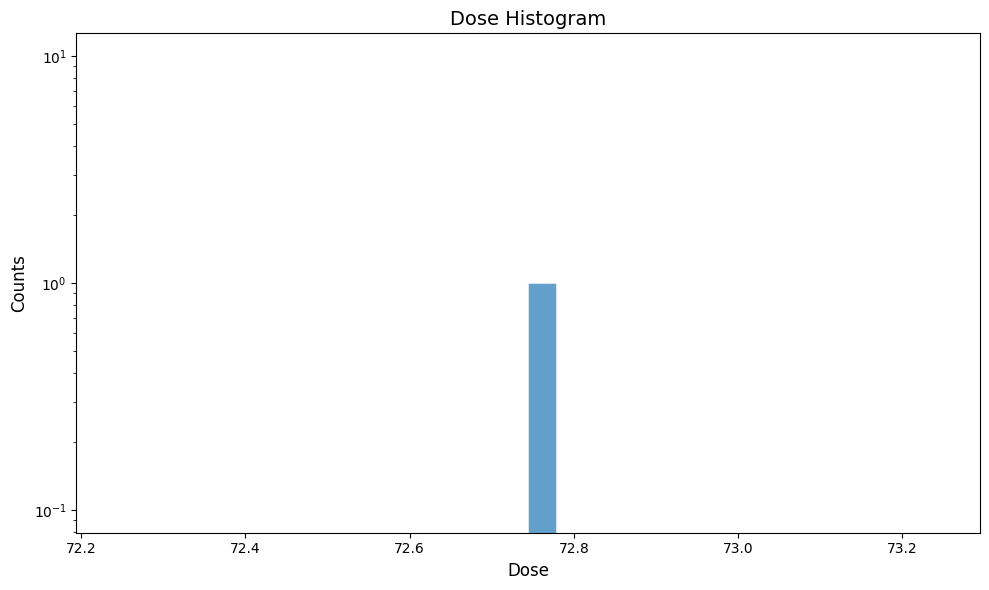
累積線量をプロットします:
gemc-analyzer b1_digitized.csv dose --kind csv