示例 b1
本示例复现了 Geant4 基础示例 B1。它使用 dosimeter 数字化处理 来存储探测器中的累积剂量。
你可以在浏览器中运行本示例:
快速上手
将示例复制到当前目录。 要创建几何结构、运行 10 个事件并生成 ROOT 和 CSV 输出文件:
cp -r $GEMC_HOME/examples/basic/b1 .
cd b1
./b1.py
gemc b1.yaml -n=10
几何结构
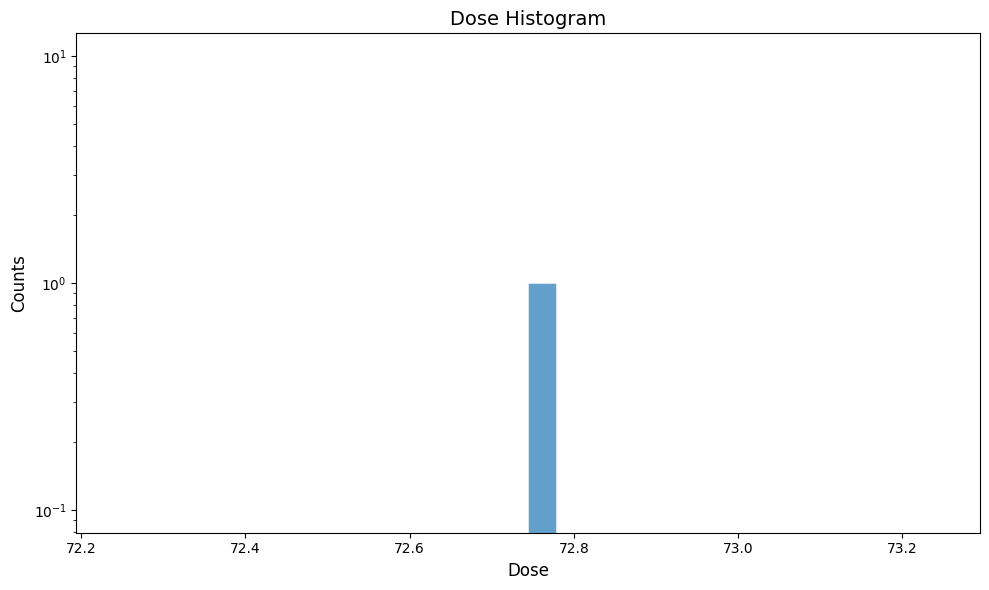
几何结构如下所示,定义在 b1.py 中。
世界体(一个名为 root 的长方体)包含:
- Envelope,另一个由水构成的长方体。
-
Shape1 和 Shape2,分别为多圆锥体和梯形体,放置在 Envelope 内部。它们分别由组织 和骨材料构成,这些材料常用于医学应用,因此已在 Geant4 材料数据库 中预先定义:
- G4_A-150_TISSUE
- G4_BONE_COMPACT_ICRU
交互式查看器:
物理过程列表
默认使用 QBBC,在 YAML 文件中通过 phys_list: QBBC 选择。
phys_list
The physics list can be selected using the option
gemc -phys_list <value>where
<value>can be a combination of the Geant4 physics constructors separated by the+sign. For examplegemc -phys_list="FTFP_BERT + G4NeutronCrossSectionXS"To see a list of the available Geant4 constructors:
gemc -showPhysics
发生器
粒子的运动学参数在 YAML 文件中定义:
gparticle:
  - name: gamma
    p: 6*MeV
    vz: -15*cm
    delta_vx: 4*cm
    delta_vy: 4*cm
    multiplicity: 1
gparticle
The
gparticleoption controls the Geant4 particle gun. For the complete list of parameters:gemc help gparticle.Common parameters:
name: particle name (mandatory), e.g.protonore-multiplicity: number of copies generated per event; copies are independently randomized when spread parameters such asdelta_pordelta_thetaare setp: particle momentum with unit, e.g.4*GeVor4000*MeVdelta_p: momentum spread, centered onptheta: polar angle with unit, e.g.23*degor0.4*raddelta_theta: polar-angle spread, centered onthetaphi: azimuthal angle with unit, e.g.90*degKinematic values accept an explicit Geant4 unit (
value*unit). A plain number without a unit falls back to MeV for momentum, deg for angles, and cm for vertex coordinates, with a logged warning.For example, to define a particle gun with one electron along z plus one proton at θ = 30° and φ = 90°:
Command line:
-gparticle="[{name: e-, p: 5*GeV}, {name: proton, p: 2000*MeV, theta: 30*deg, phi: 90*deg}]"YAML:
gparticle:
  - name: e-
    p: 5*GeV
    multiplicity: 5
  - name: proton
    p: 2000*MeV
    theta: 30*deg
    phi: 90*deg
更多信息另见内置发生器文档。
数字化
Shape2 体的灵敏性通过 dosimeter 数字化处理(GEMC 提供的预置例程之一)
在 b1.py 中指定:
gvolume.digitization = 'dosimeter'
gvolume.set_identifier('mydosimeter', 1)
dosimeter 数字化处理在一次运行的各个事件中创建并累积变量 etot 和 dose。
\[\mathrm{dose} = \frac{\mathrm{etot}}{\mathrm{mass}}\]其中 etot 是每个事件中沉积的总能量,mass 是 Shape2 的质量。
在此,自定义字符串 mydosimeter 和数字 1 用于标识该灵敏元件。
变量 mydosimeter、etot 和 dose 保存在输出中。
更多信息请参阅剂量计文档。
用法
构建探测器
使用 Python 脚本 b1.py 构建探测器。默认情况下,探测器配置存储在 SQLite 文件
gemc.db 中。命令行选项可用于指定数据库类型、变体和运行编号。
python API
Pass
-hfor additional command line options:options: -h, --help show this help message and exit -f, --factory FACTORY ascii, sqlite -v, --variation VARIATION Set variation name -r, --run RUN Set run number -sql, --dbhost DBHOST SQLite filename or MYSQL host -pv, --pyvista Show geometry using pyvista (needs pyvista) -pvb, --pvb, --pyvista-background Use PyVista BackgroundPlotter (needs pyqt6 pyvistaqt) -pvw, --width WIDTH Set plotter width -pvh, --height HEIGHT Set plotter height -pvx, --x X Set plotter x position -pvy, --y Y Set plotter y position -axes, --add_axes_at_zeroIf you have
pyvista(see also install pyvista), you can use the-pvand-pvboptions to display the setup without having to run GEMC
更多信息另见构建几何结构。
运行 GEMC
可以使用文件 b1.yaml 来运行该配置。
添加 -gui 以交互方式运行 GEMC:
gemc b1.yaml -gui
场景注释和装饰存放在 annotations.yaml 中,这样同一个示例既可以带标签渲染,也可以不带标签渲染:
gemc b1.yaml
gemc b1.yaml annotations.yaml
根据需要修改 b1.yaml 或命令行,尤其是添加粒子、控制线程数或更改输出。
运行事件
输出
gstreamer 选项用于选择输出名称和格式。该 YAML 文件同时写入 CSV 和 ROOT 数据流:
gstreamer:
  - format: csv
    filename: b1
gstreamer
The
gstreameroption selects the output name and format. Rungemc help gstreamerto check its documentation:-gstreamer=<sequence> ......: define a gstreamer output • filename: name of output file. Default value: NODFLT • format: format of output file. Default value: NODFLT • type: type of output fileDefault value: event Define output formats and filenames. It can be used to select <events> or <frame> streams. The file extension is added automatically based on the format. Supported formats: - root - ascii - csv - json Output types: - event: write events - stream: write frame time snapshots Example that defines two gstreamer outputs: -gstreamer="[{format: root, filename: out}, {format: csv, filename: out}]" The produced files structure depends on the accumulation method used: - event-based digitization (like <flux>) will have one file per thread, with "_t<thread#>" appended to the filename - run-based digitization (like <dosimeter>) will have one output file
更多信息另见输出文档。
使用 GEMC Analyzer 绘图
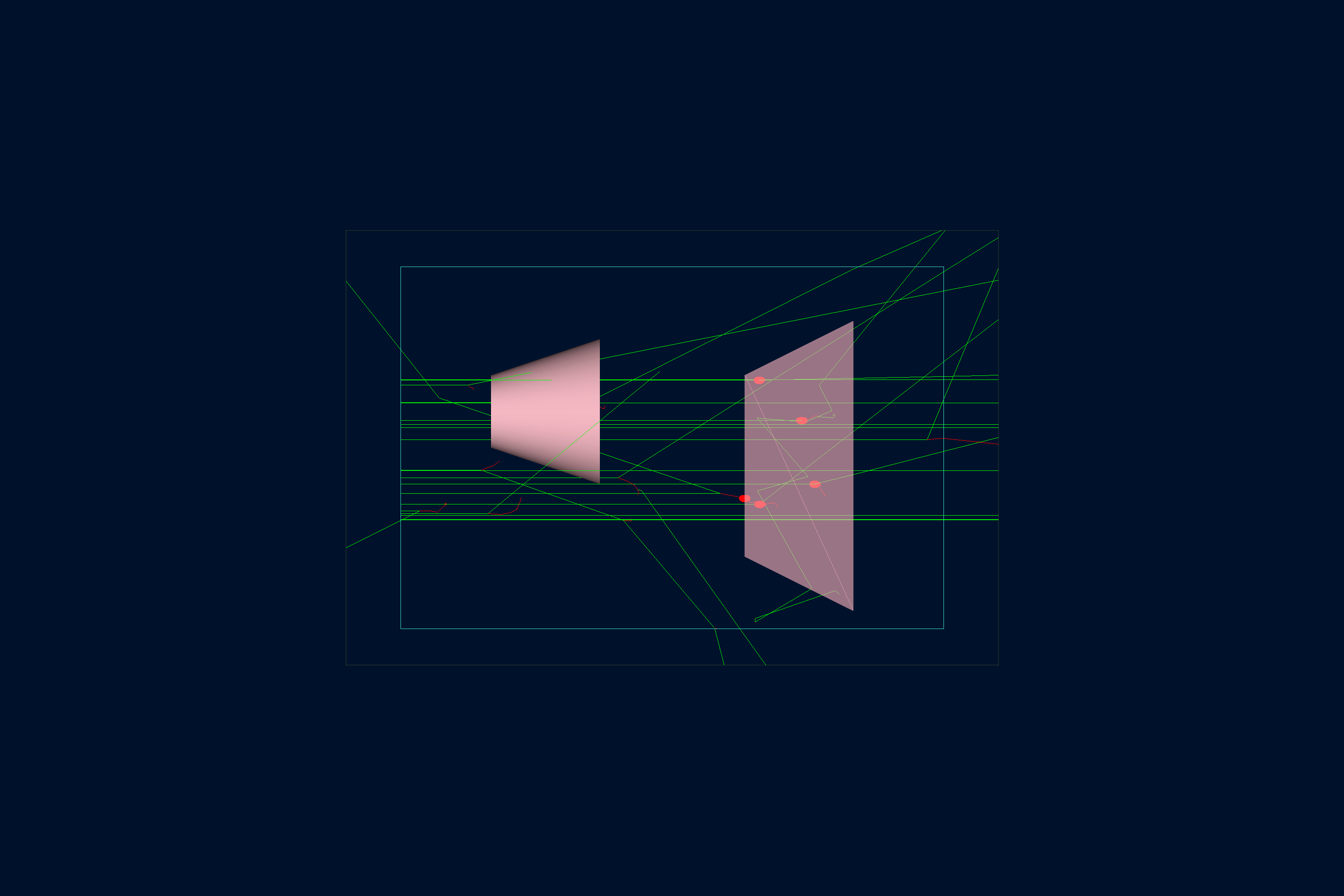
首先运行 GEMC,模拟 20 个事件。默认 YAML 文件会写入供分析器使用的 CSV 数据流。
gemc b1.yaml -n=20
绘制累积剂量:
gemc-analyzer b1_digitized.csv dose --kind csv